 docs.healthdata.be
The EPILABO Dataflow description
Below we describe (high level) the EPILABO dataflow between the data provider and the healthdata.be platform.
Step 1. Laboratory (clinical biology) sends message “LaboratoryTestResultCB” from LIMS towards HD4DP v2 using API. This message contains ID’s of patient, HCO (requestor), HCP (requestor), HCO (executor), HCP (executor), sample, test …
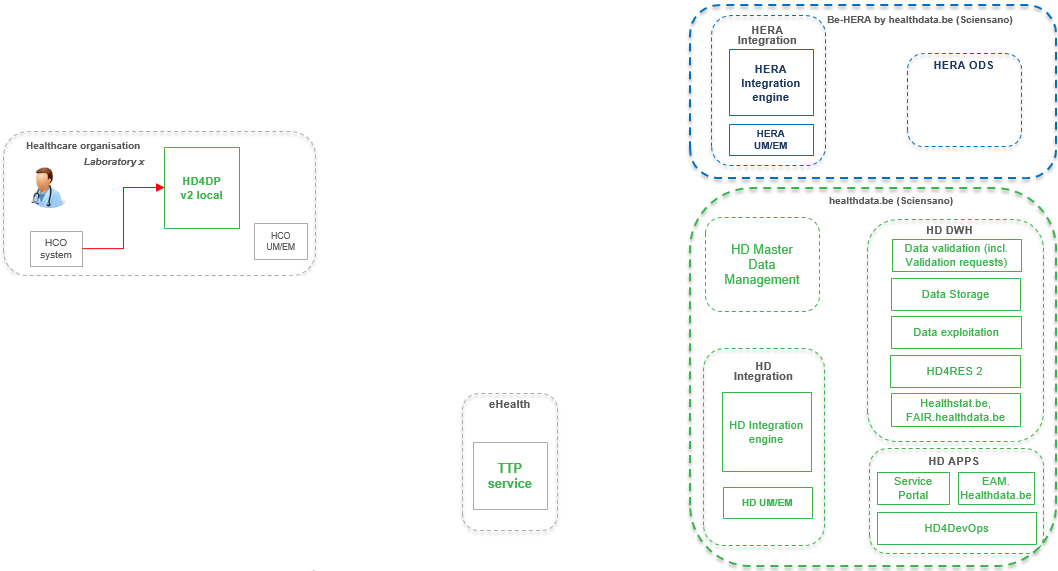
Step 2. Laboratory staff can manually complete information of message “LaboratoryTestResultCB” provided by LIMS in HD4DP v2 using form version of the messages (optional step). This message contains ID’s of patient, HCO (requestor), HCP (requestor), HCO (executor), HCP (executor), sample, test …
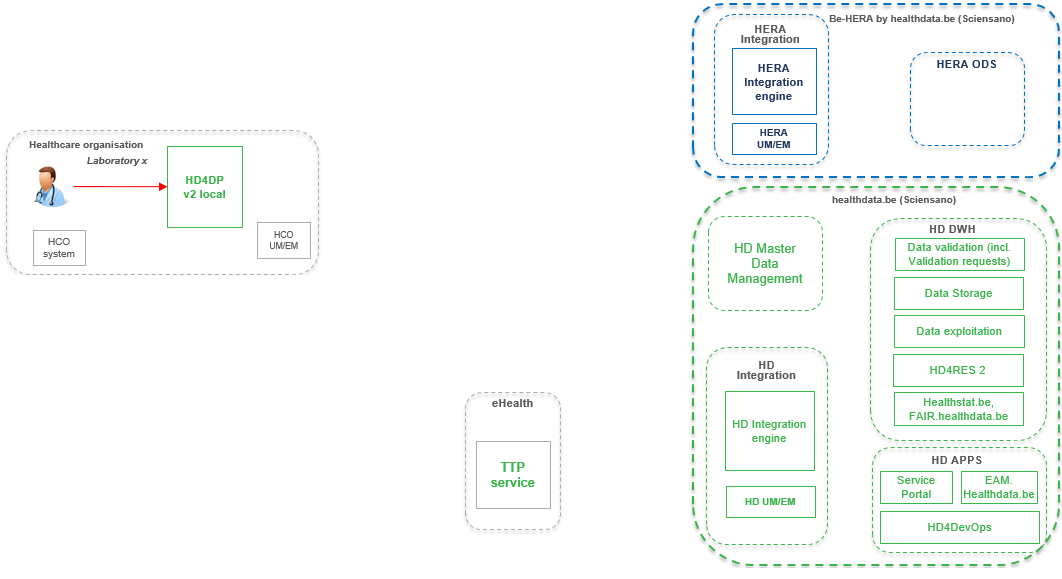
Step 3. HD4DP v2 sends message “LaboratoryTestResultCB” towards HERA Integration Engine. This message contains ID’s of patient, HCO (requestor), HCP (requestor), HCO (executor), HCP (executor), sample, test …
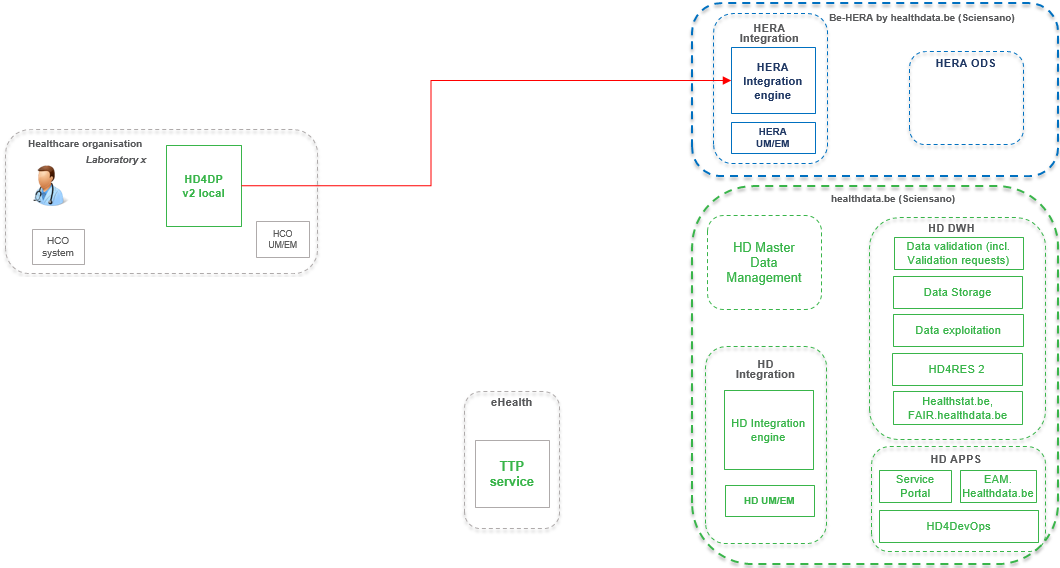
Step 4. HERA Integration engine sends message “LaboratoryTestResultCB” towards HERA ODS. This message contains ID’s of patient, HCO (requestor), HCP (requestor), HCO (executor), HCP (executor), sample, test …
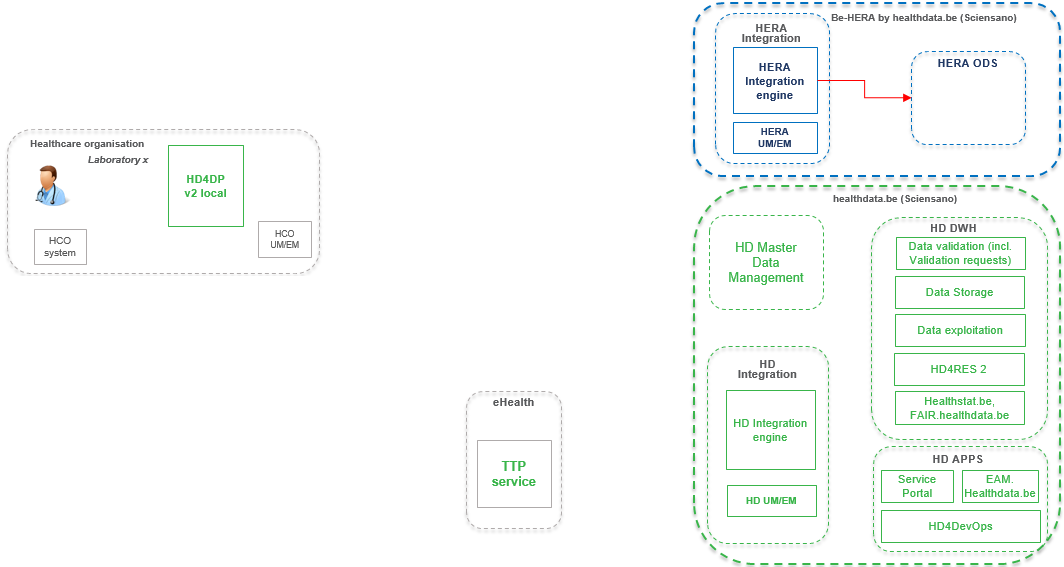
Step 5. HERA ODS sends messages “LaboratoryTestResultCB” towards HD Integration engine. These message contains a unique technical key, ID’s of HCO (requestor), HCP (requestor), HCO (executor), HCP (executor), sample, WGS test, … (no-NISS of patient).

Step 6. HERA ODS sends unique technical key and NISS of patient included in messages “LaboratoryTestResultCB” towards HERA UM / EM. These messages do not include any business data.

Step 7. HERA UM / EM sends unique technical key and NISS of patient included in messages “LaboratoryTestResultCB” towards eHealth TTP-service. These messages do not include any business data.

Step 8. eHealth TTP-service sends unique technical key and PSEUDO-NISS of patient included in messages “LaboratoryTestResultCB” towards HD UM/EM. These messages do not include any business data.

Step 9. HD UM/EM sends unique technical key and PSEUDO-NISS of patient included in messages “LaboratoryTestResultCB” towards HD Integration engine. These messages do not include any business data.

Step 10. HD Integration engine consolidates technical key, PSEUDO-NISS and business data from “LaboratoryTestResultCB” and result of Primary BioIT analyses and sends it towards HD Staging environment (HD DWH).

Step 11. Further processing of “LaboratoryTestResultCB” on HD DWH including publication into healthstat.be and fair.healthdata.be portal.

This documentation is being updated regularly. We try to provide as correct, complete and clear as possible information on these pages. Nevertheless, if you see anything in the documentation that is not correct, does not match your experience or requires further clarification, please create a support ticket via our portal Jira Service Management or send us an e-mail via support.hd@hda.fgov.be to report this documentation issue. Please do not forget to mention the URL of the page. We will then adjust the documentation as soon as possible. Thank you!