 docs.healthdata.be
Glossarium van HD EAM 3.0
Het nieuwe HD Entity Access Management systeem ''EAM 3.0'' is gebouwd op een nieuwe architectuur die speciaal is ontwikkeld om het beheer van gebruikers terug te geven aan de Access Manager, zodat de levenscyclus van een gebruiker in het systeem van begin tot eind kan worden opgevolgd.
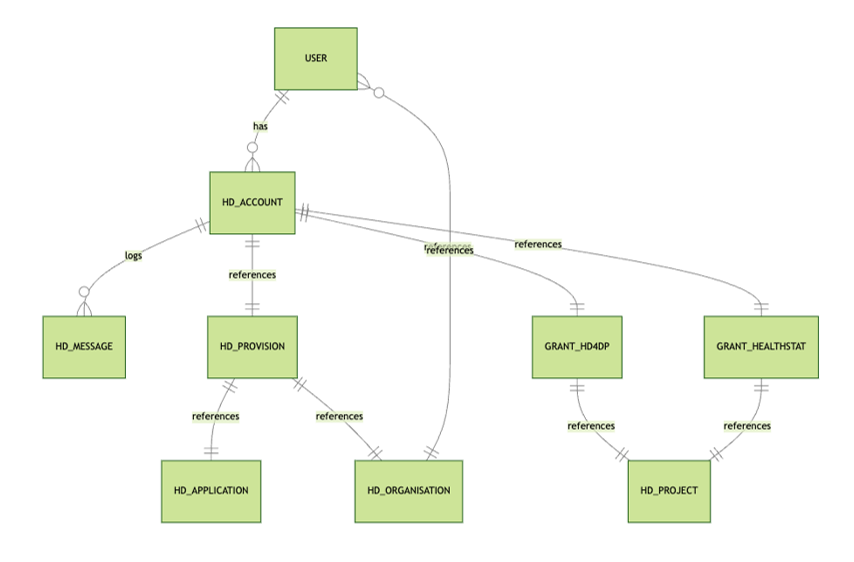
De nieuwe architectuur en de bijbehorende processen brengen een aantal nieuwe concepten met zich mee. We hebben ze hieronder voor je op een rijtje gezet, aangevuld met reeds bekende concepten.
Access Manager
Een Access Manager (toegangsbeheerder) is een Authenticated User die bijkomende Access Manager rechten heeft binnen het EAM-systeem. Deze rechten worden door healthdata.be toegekend aan de eerste Access Manager van een bepaalde organisatie. Eventuele extra Access Managers moeten door de data provider worden aangeduid en de rechten door de bestaande Access Manager van de betreffende organisatie worden toegekend.
Een Access Manager valideert en beheert gebruikersaccounts binnen het Entity Access Management-systeem, keurt de toegang van deze EAM-gebruikers tot verschillende applicaties voor alle beschikbare projecten goed en beheert deze en heeft de bevoegdheid om EAM-gebruikers en EAM-accounts aan te maken door middel van csv bulk upload.

Account (EAM account)
Een account in EAM 3.0 is een combinatie van een e-mailadres en een zogeheten "provision" aangevuld met een reeks rechten (access grants) die toegang geven tot een bepaald register. Een account koppelt de EAM-gebruiker dus aan het gewenste register in een applicatie.
Een gebruiker kan meer dan één account hebben, elk met een ander e-mailadres, bijvoorbeeld wanneer deze in verschillende gezondheidszorgorganisaties (HCO's) werkt, en elk met een andere "provision".
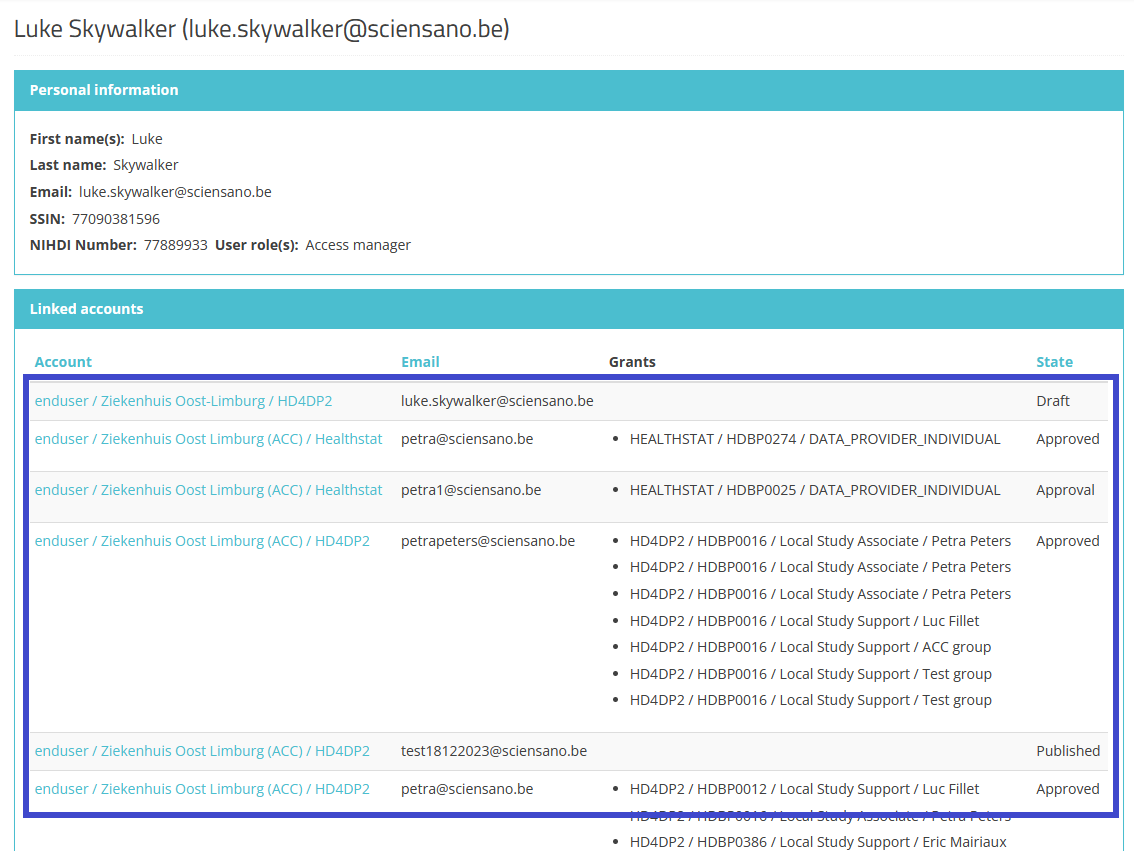
Accountstatus
Het overzicht hieronder toont de verschillende statussen van een EAM account tijdens het proces.
De Label kolom vermeldt de naam van de actieknop die beschikbaar is voor de Authenticated User en/of Access Manager in de respectieve GUI schermen. (Alleen de acties Create New Draft en Request approval zijn beschikbaar voor een Authenticated User).

Admin
De Admin of beheerder is een medewerker binnen het healthdata.be-team die over alle rechten en functionaliteiten binnen het EAM-systeem beschikt. Dit gebruikerstype binnen het EAM-systeem dient slechts occasioneel en enkel voor zeer technische of dringende doeleinden worden gevraagd.
Authenticated User
Een Authenticated User (geauthenticeerde gebruiker) is een persoon die is aangemeld bij het EAM-systeem via itsme of eID en een gebruikersprofiel heeft op basis van Voornaam, Achternaam en NISS-code die gedeeld worden bij het aanmelden via de Federal Authentication Service (FAS). Een Authenticated User heeft toegang tot de EAM-toepassing, kan accounts aanmaken en toegangsrechten aanvragen en heeft toegang tot de eigen accountgegevens voor het geval wijzigingen nodig zijn.
Author group
Een Author Group (auteursgroep) is een groep gebruikers met gelijke bewerkings- en leesrechten voor een registratie in een bepaalde applicatie van de organisatie. Het aanmaken van een Author Group is gebaseerd op Voornaam Achternaam van de gebruiker die om toegang vraagt. De groep wordt vervolgens beheerd in het HD Entity Access Management (EAM) systeem.
Voor de applicatie HD4DP2 wordt het veld Author Group automatisch ingevuld voor gebruikersrollen 1 (Study Lead) en 2 (Study Associate). De Author Group voor rol 3 (Study Support) moet in de bijbehorende vervolgkeuzelijst worden geselecteerd.
FAS
De Federale Authenticatiedienst (FAS) is een systeem dat personen authenticeert om hen toegang te verlenen tot beveiligde online-overheidstoepassingen. Het garandeert de authenticiteit van gebruikers voordat ze gebruik mogen maken van beveiligde overheidsdiensten in België.
Grants (Access grants)
Grants (toegangsrechten) definiëren de toegang van een gebruiker tot een register in een bepaalde applicatie met een specifieke rol. De Grants worden toegevoegd aan een EAM-account en moeten worden goedgekeurd door de Access Manager van de betreffende organisatie. Voorbeeld:

Legacy requests
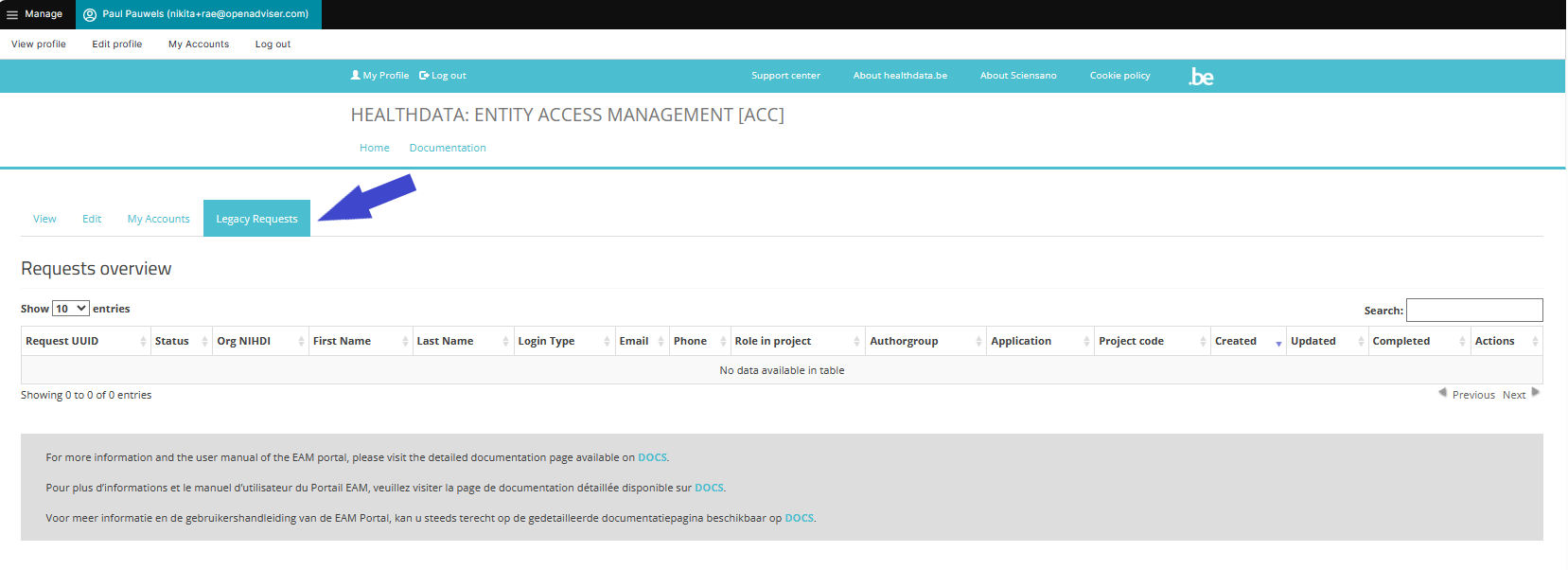
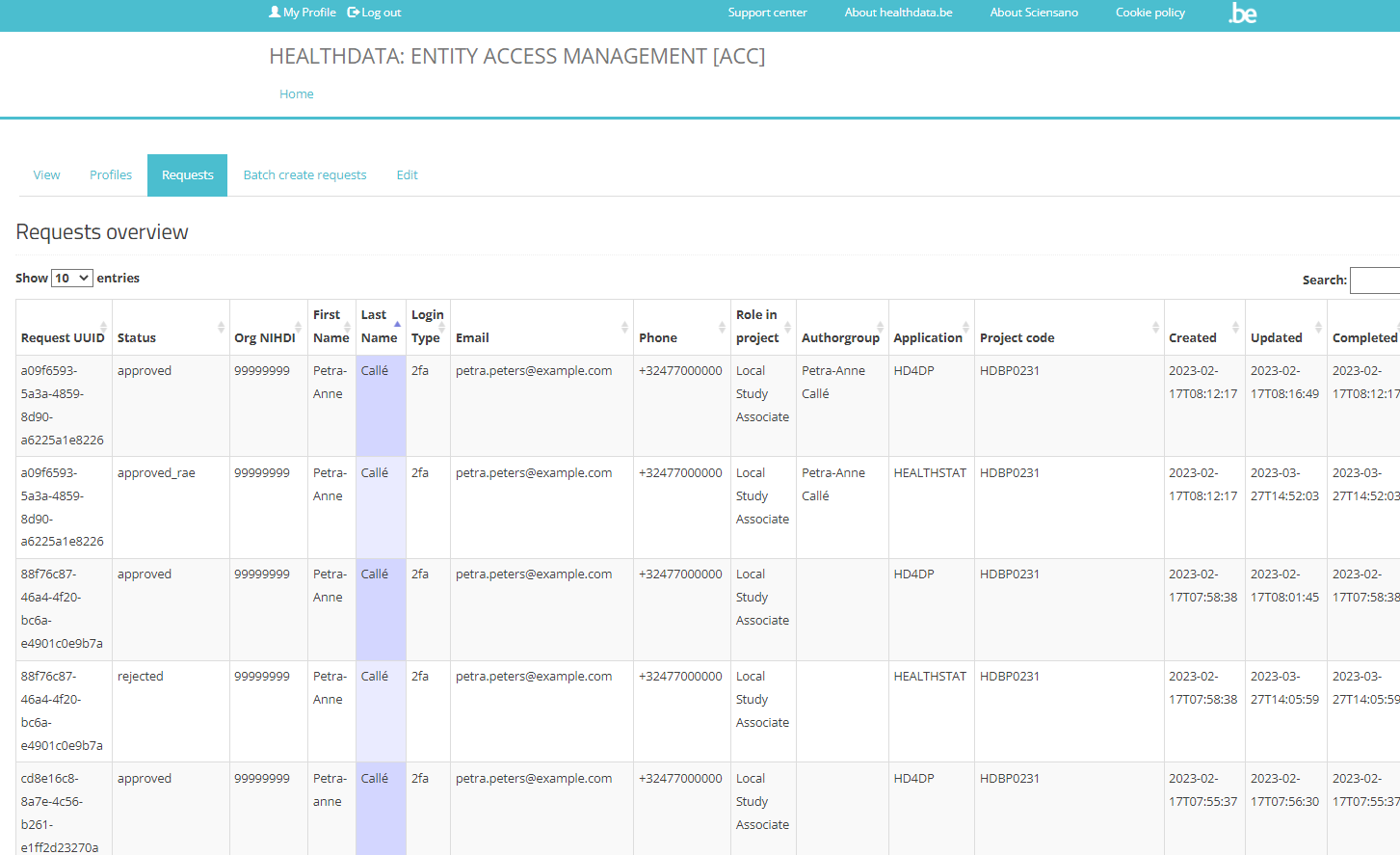
The Legacy requests tab retrieves the information shown under the "Requests overview" within the previous EAM version (2.7). The purpose of this overview is to follow-up on pending requests after migration to EAM 3.0.
Manager (HD Manager)
The Manager is a user type in EAM performed by healthdata.be Service Desk staff. Compared to an Access Manager the manager profile has more extensive rights for advanced actions, without the emergency functionalities of an Administrator.
Messages (log)
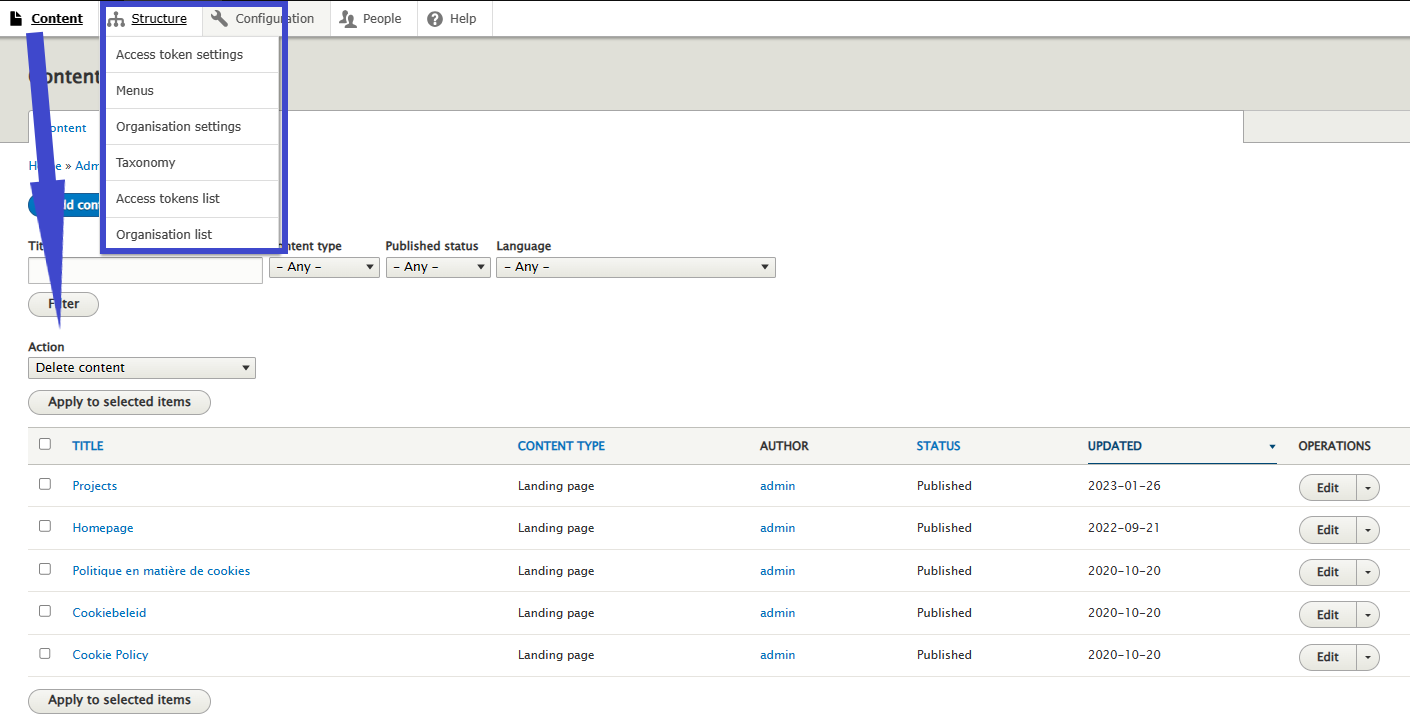
Messages are created whenever actions are performed on EAM account level, e.g. password reset, request of account approval, approving of grants etc. A message is the representation of something we send to or receive from Service bus. The messages will be logged within EAM for history purposes.
Organization
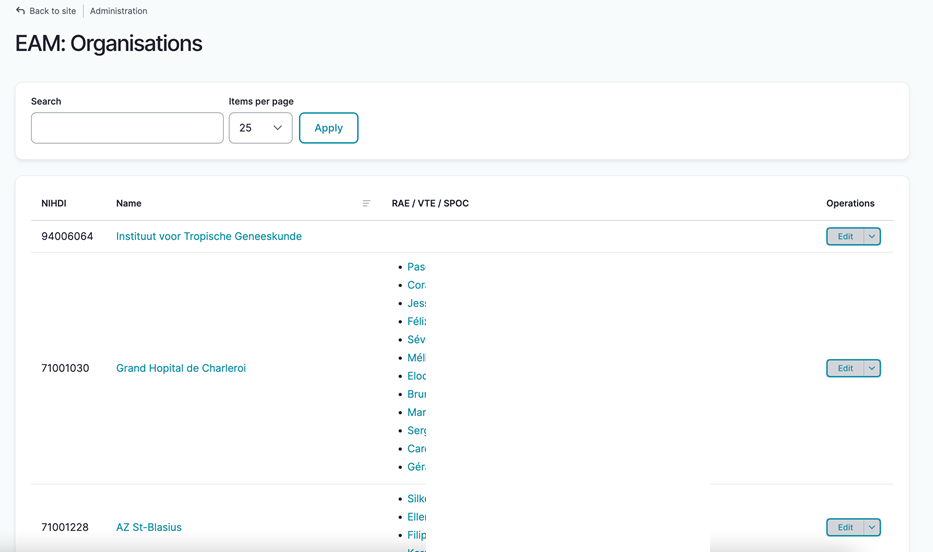
In full: Healthcare Organization (HCO). A list of all organizations including Name, NIHDI number and the respective list of Access Managers is managed by the HD Manager. An organization that is not active anymore, will receive the status Disabled, without being deleted from the EAM system.
Provision
The provision is the deployment of a certain Application to a certain Organization along with any specific parameters providing extra information on the deployment.
Service Bus
Is a communication layer between our EAM portal and the installations at the DP's side. Whereas the former EAM system mainly managed access requests, the new EAM 3.0 focusses on complete User management incl. access requests, account creating, feedback loop ... aiming at faster user onboarding, a better user experience and less manual intervention by Support / DevOps.

User (EAM user)
The user is the main entity within the EAM system. Once the user's profile, containing basic information such as Username, Primary e-mail address, First name, Last name, SSIN and professional NIHDI code, has been validated, the user has access to EAM, ready to interact. EAM 3.0 offers the possibility to add more than one NIHDI code. Each user can be linked to more than one Account.
User matrix
In general, a user matrix is a structured way to organize information about users and their action radius. We have used the user matrix as a starting point of our documentation of the new Entity Access Management system: a cross-table of the different functionalities of the user types Authenticated User and Access Manager. From here, you can reach the exact information.
User roles
User roles determine your access rights in HD applications such as HD4DP2 or healthstat.be for the desired project. The role hierarchy do not necessarily correspond to the staff structure within your organization. More on User roles in HD4DP2 can be found here.
User types
User types determine the level of managing rights you have within the EAM system:
- Authenticated user (Validated user)
- Access manager
- (HD) Manager
- Administrator
Different from User roles which are typical for HD applications.
Validated user
User type. Can be found in the EAM users overview after migrating validated users from EAM 2.7 to EAM 3.0. This migrated user type corresponds with the one of an Authenticated user in EAM 3.0.
After migration of your healthcare organisation from EAM 2.7 to EAM 3.0, the Access Manager might notice the user type of Validated user in the Role(s) column on the EAM Users overview page.
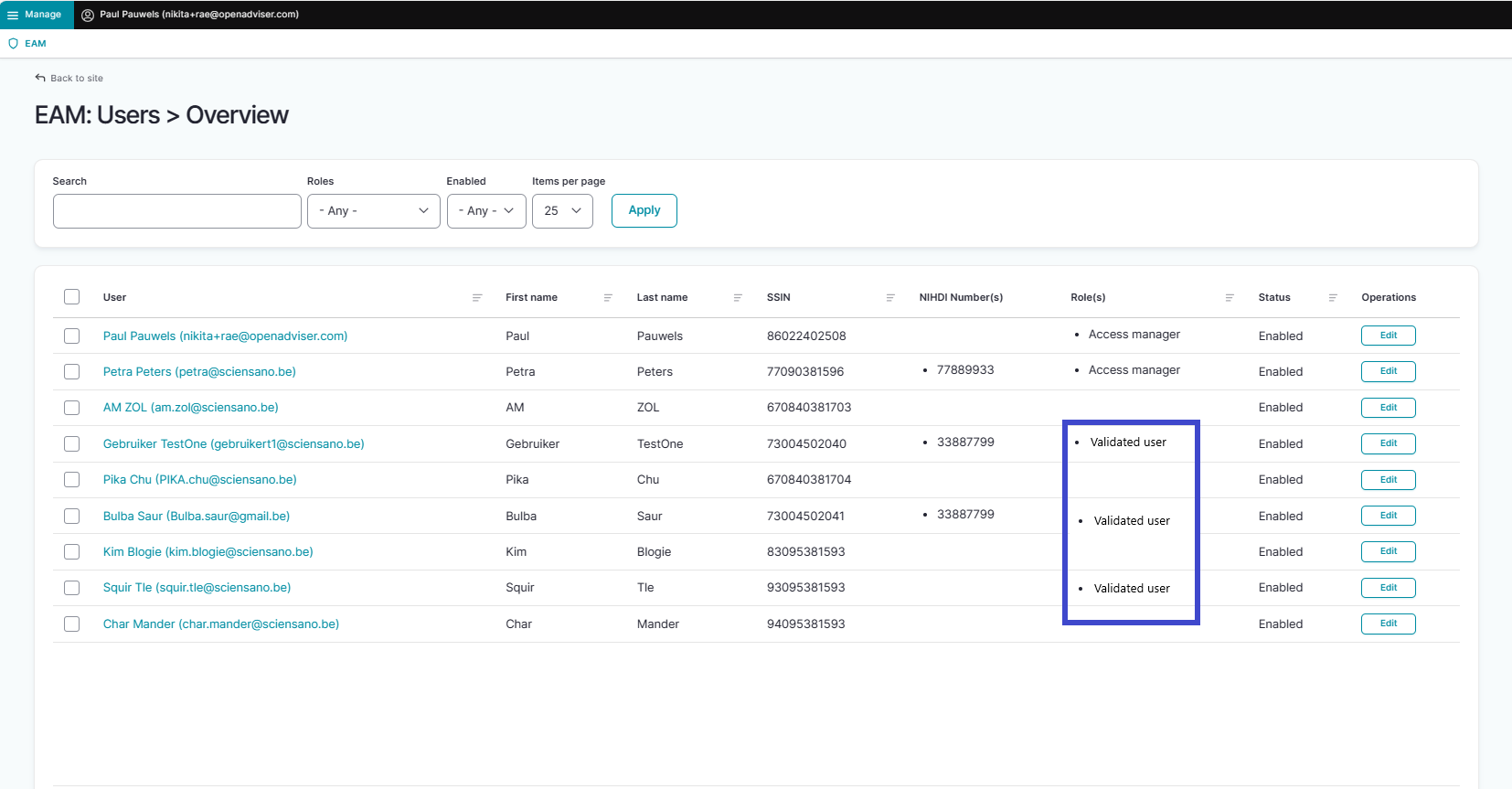
The label "Validated user" is a remnant of EAM version 2.7 where it meant to indicate that a user's profile had been completed and validated by the Access Manager. This migrated user type corresponds to the Authenticated user type in EAM 3.0. As such, "Validated user" is not an active role in EAM 3.0, nor does it influence the functionality of EAM 3.0.
Deze documentatie wordt regelmatig bijgewerkt. We proberen de informatie zo correct, volledig en zo duidelijk mogelijk weer te geven. Als u desondanks iets in de documentatie ziet dat niet correct is, niet overeenkomt met uw ervaring, of verdere verduidelijking vereist, maak dan een support ticket via ons portaal (https://healthdatabe.atlassian.net/servicedesk/customer/portals) of stuur ons een e-mail via support.healthdata@sciensano.be om dit documentatieprobleem te melden. Vergeet niet de URL of het webadres van de pagina met het documentatieprobleem te vermelden. Wij zullen de documentatie dan aanpassen. Bedankt!