 docs.healthdata.be
(NEW) SPOC actions
In this article, we cover the different actions of a SPOC in more detail.
SPOC actions upon a request
In future the SPOC will be notified in case a request for access was requested by a colleague, allowing them to consult the overview table to consult and edit all requests for their organization.
With the new implemented feature - the Approve/Reject selection button (pictured underneath) - the SPOC can to approve end-user requests with the status "created" and "approval_requested".
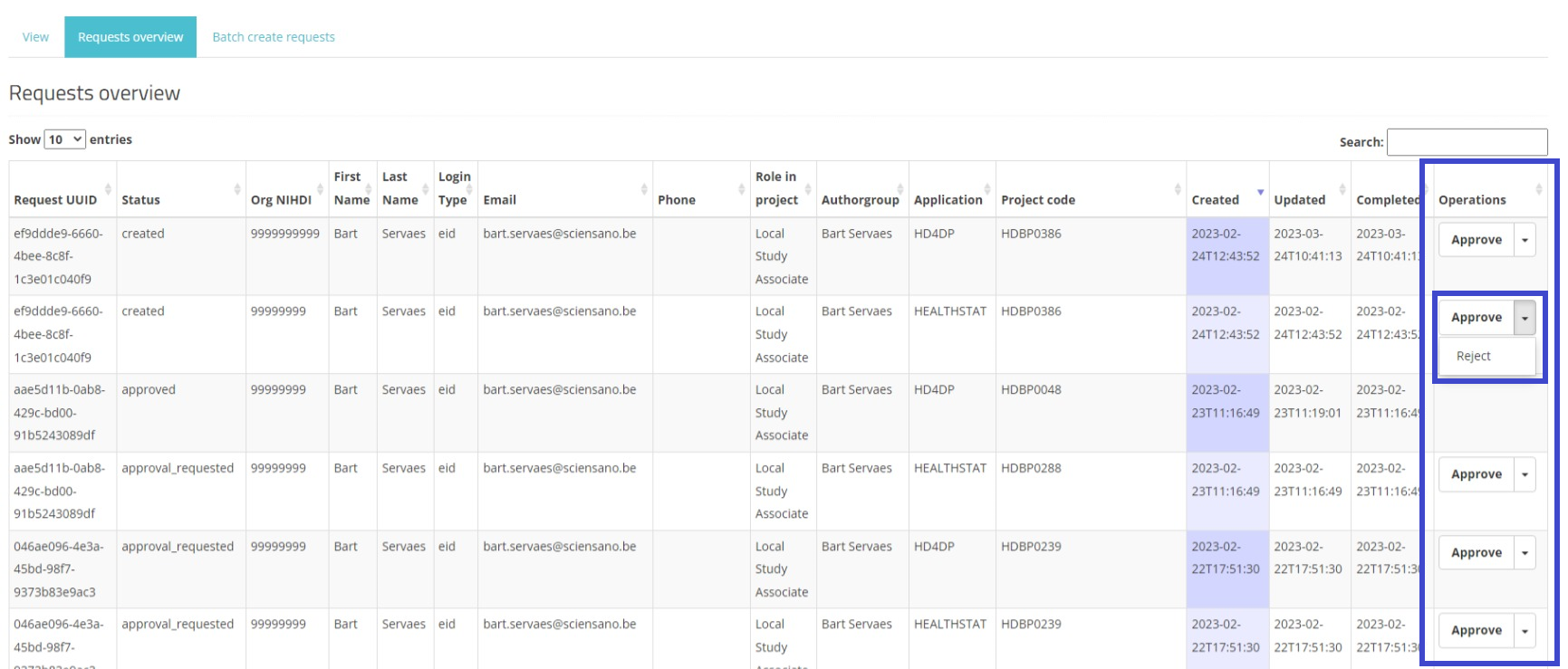
The SPOC can approve a request by going to his/her profile and clicking within the drop down button on "Approve". An additional approval step needs to be accomplished in the appearing pop-up.
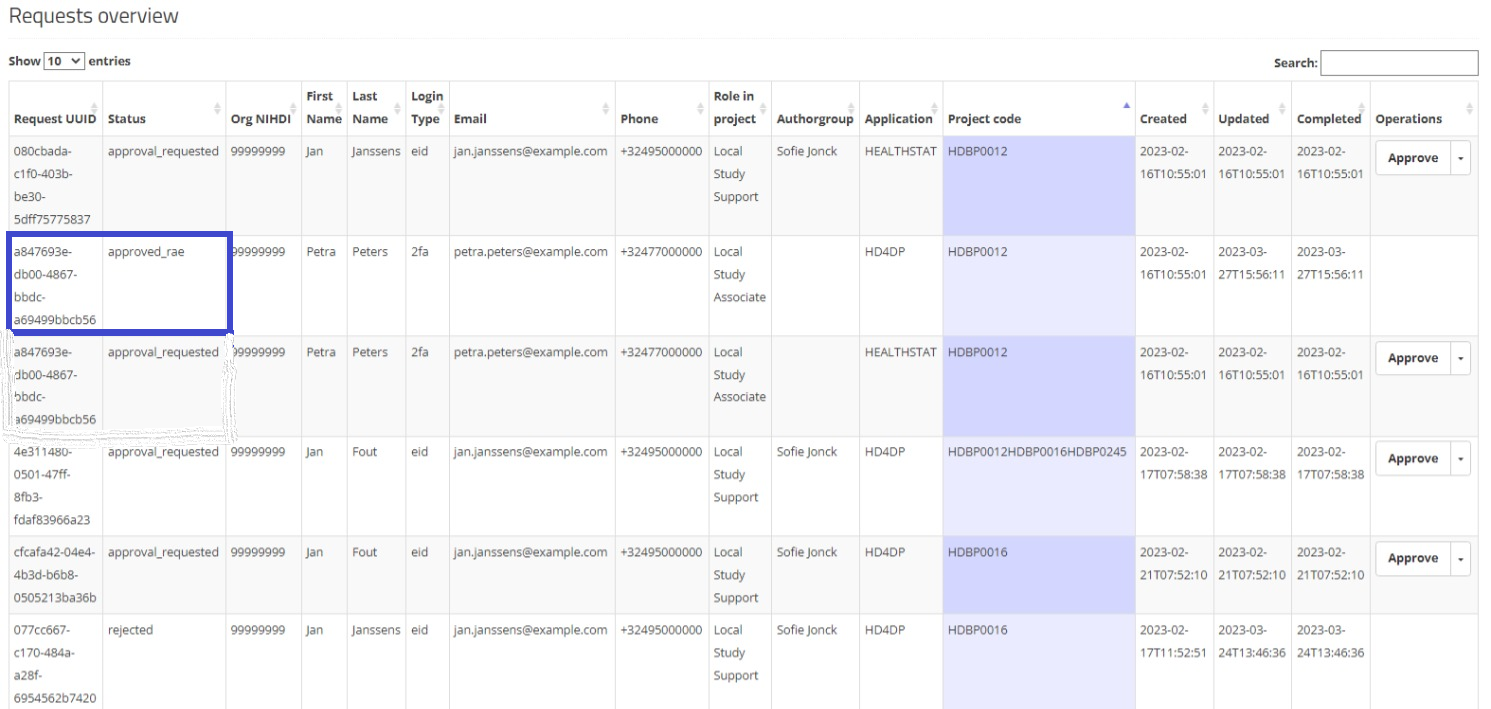
When this happens, the status of the request changes to "approved_rae", the Updated / Completed dates change accordingly as well. Once the status changes to "approved_rae", the account provisioning will be initiated and the account will be provided once the registry is in prodcution.
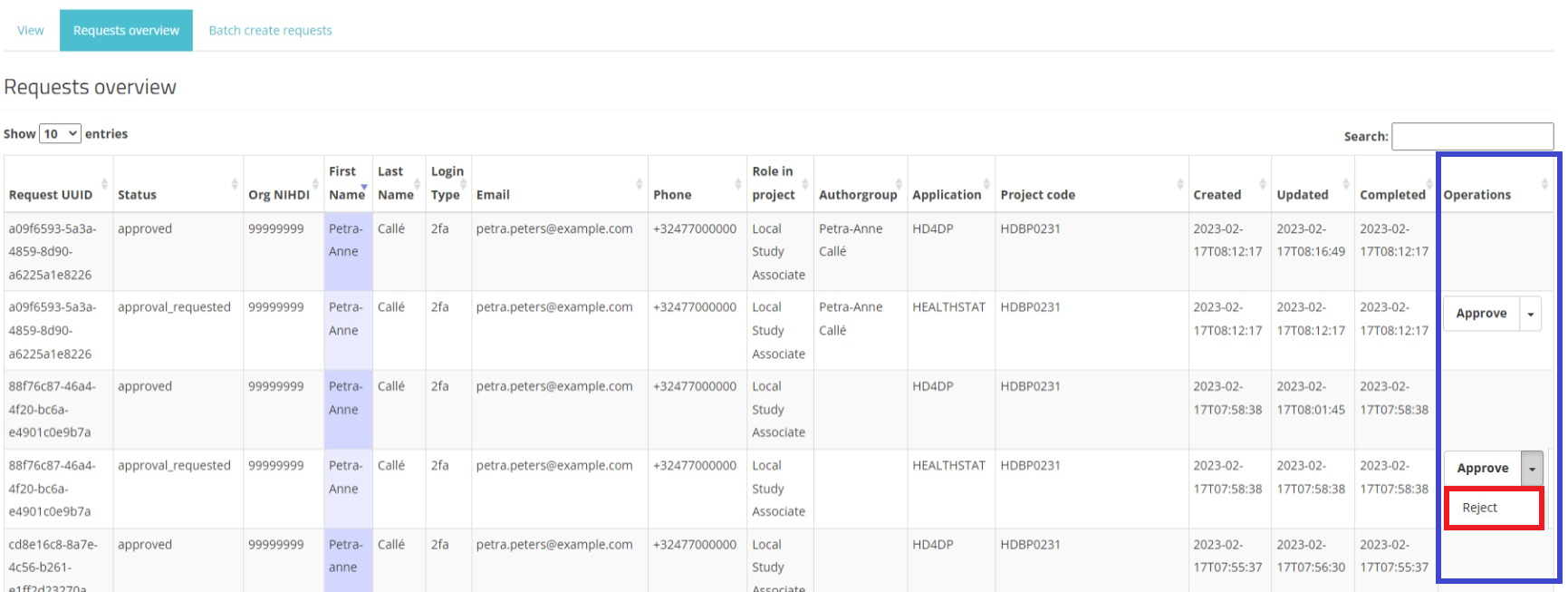
On the other hand the SPOC has the possibility to reject a request by selecting the reject button within the drop down list. When this happens, the status of the request changes to "rejected", and thus no credentials will be provided
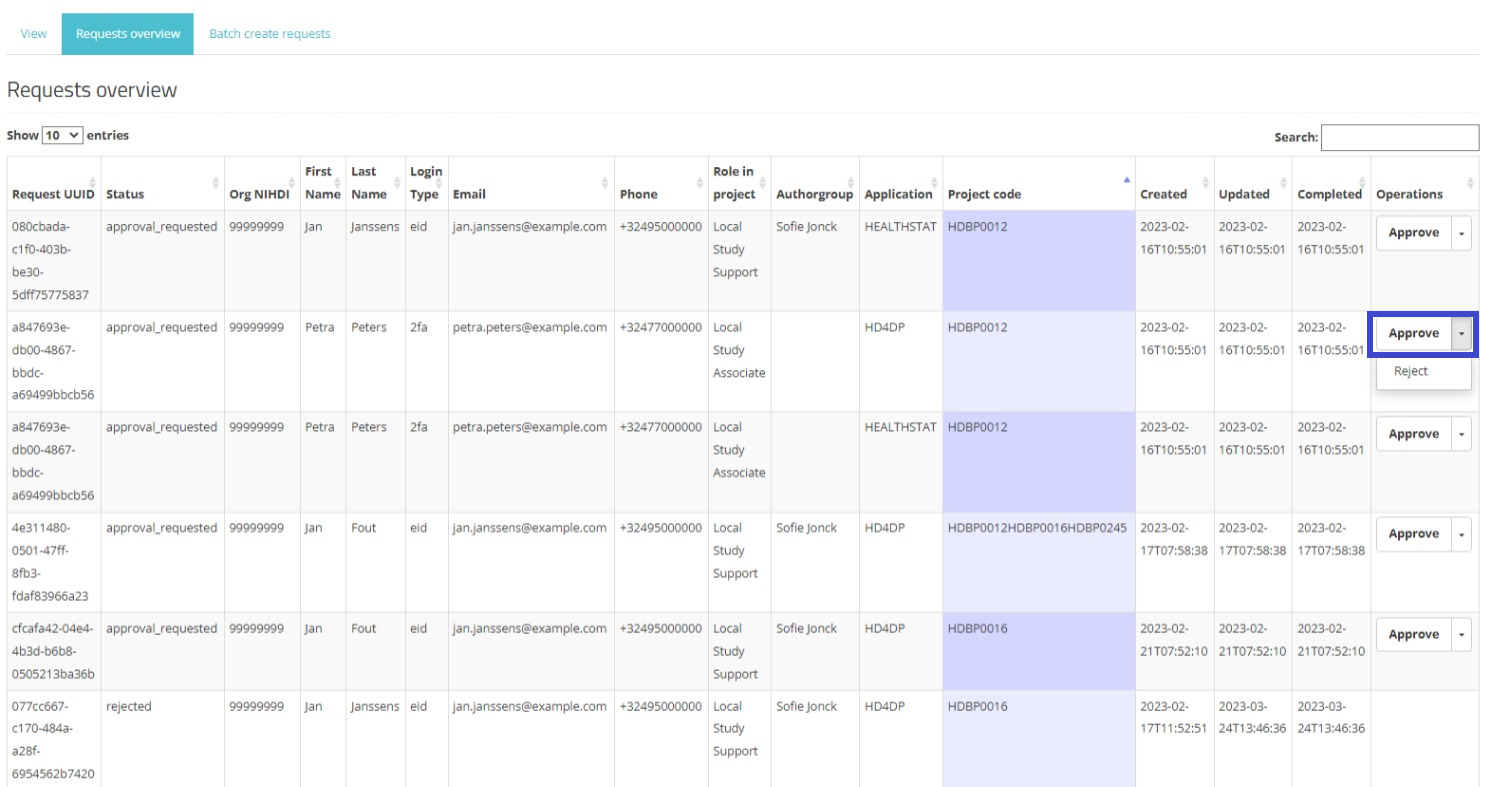
In the Actions field a selection button Approve/Reject is displayed next to a request with the status created or approval_requested. Two actions are possible now: the SPOC either approves or rejects the user's request.
When selecting Approve, the status of the request changes to "approved_rae", the dates in the fields Updated and Completed change accordingly as demonstrated in the screenshots underneath:
Approve:
Approved:
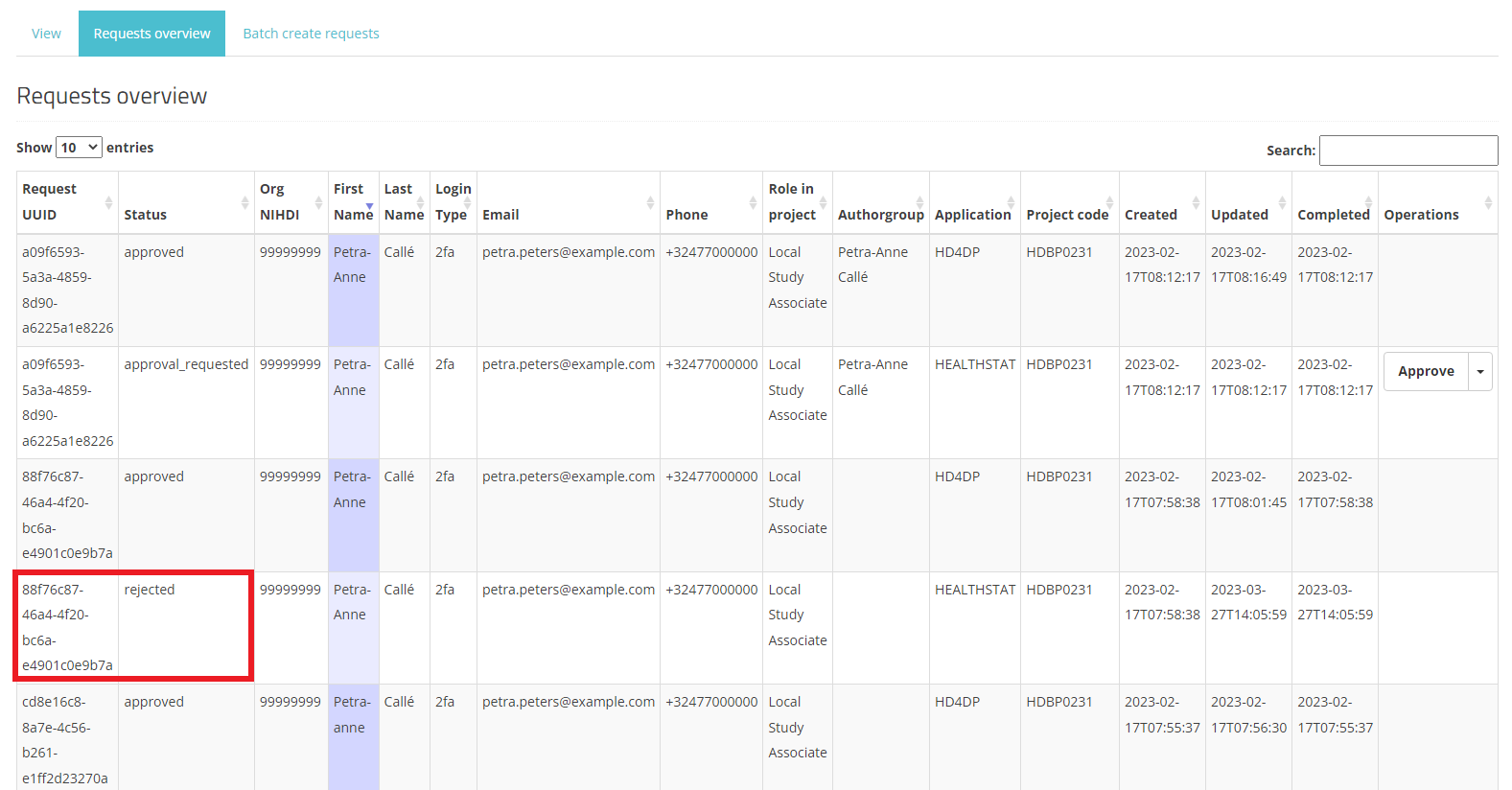
When selecting Reject, the request receives the status "rejected", the dates in the fields Updated and Completed change accordingly. A rejected request remains in the overview for reference reasons. Compare following screens:
Reject
Rejected:
This documentation is being updated regularly. We try to provide as correct, complete and clear as possible information on these pages. Nevertheless, if you see anything in the documentation that is not correct, does not match your experience or requires further clarification, please create a support ticket via our portal Jira Service Management or send us an e-mail via support.hd@hda.fgov.be to report this documentation issue. Please do not forget to mention the URL of the page. We will then adjust the documentation as soon as possible. Thank you!