 docs.healthdata.be
Change own current password
Last updated: 2024-08-20 11:32
On this page we describe how members of an Organization can change their own current password.
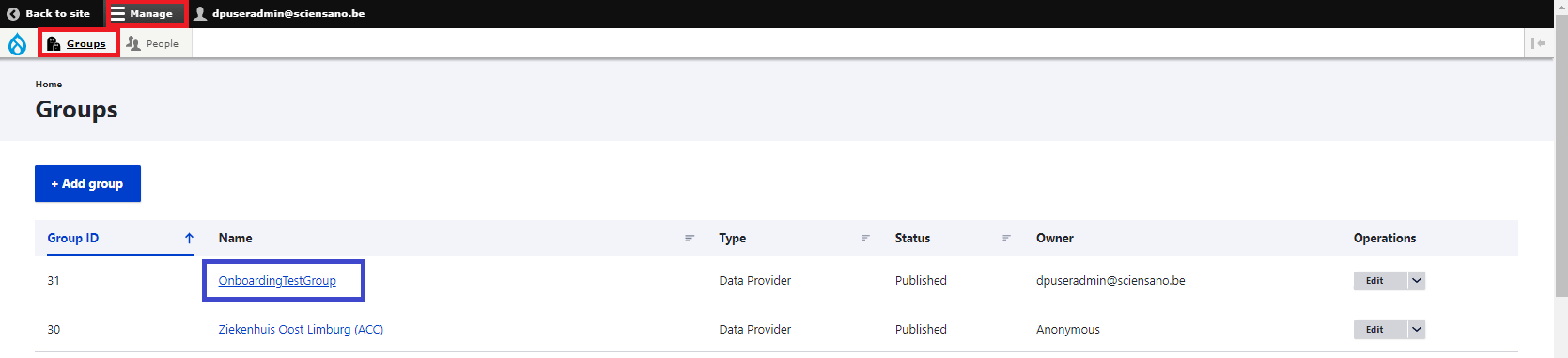
Click on Manage, then on Groups. Now, select your Organization in the Name column:
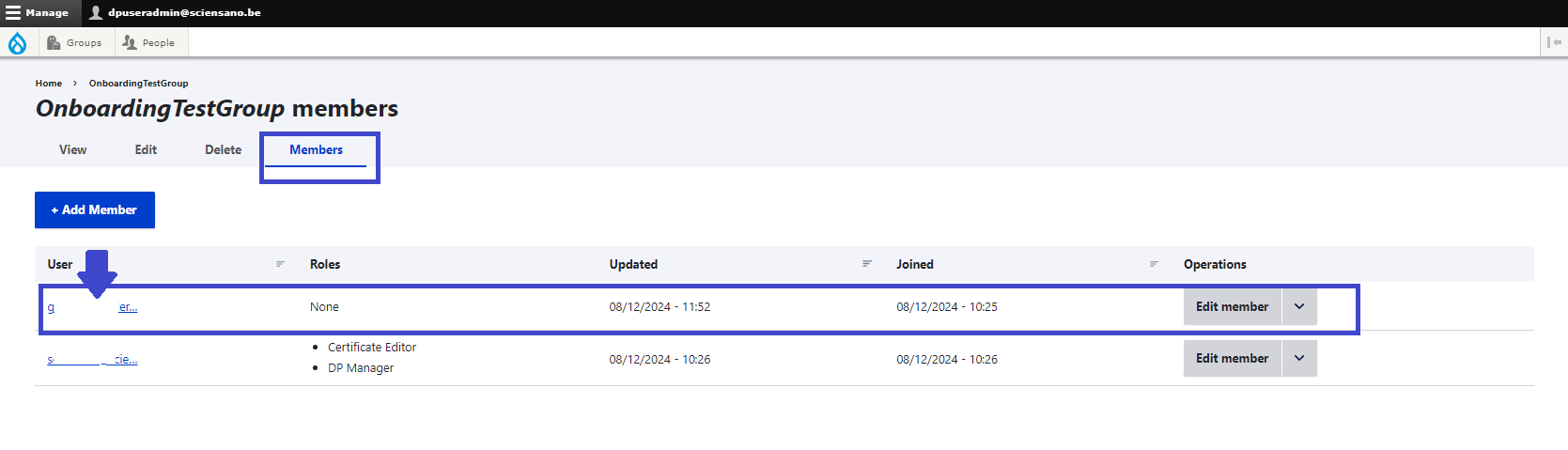
Select the Members tab in the Organization members screen and subsequently select your own e-mail address in the User column.
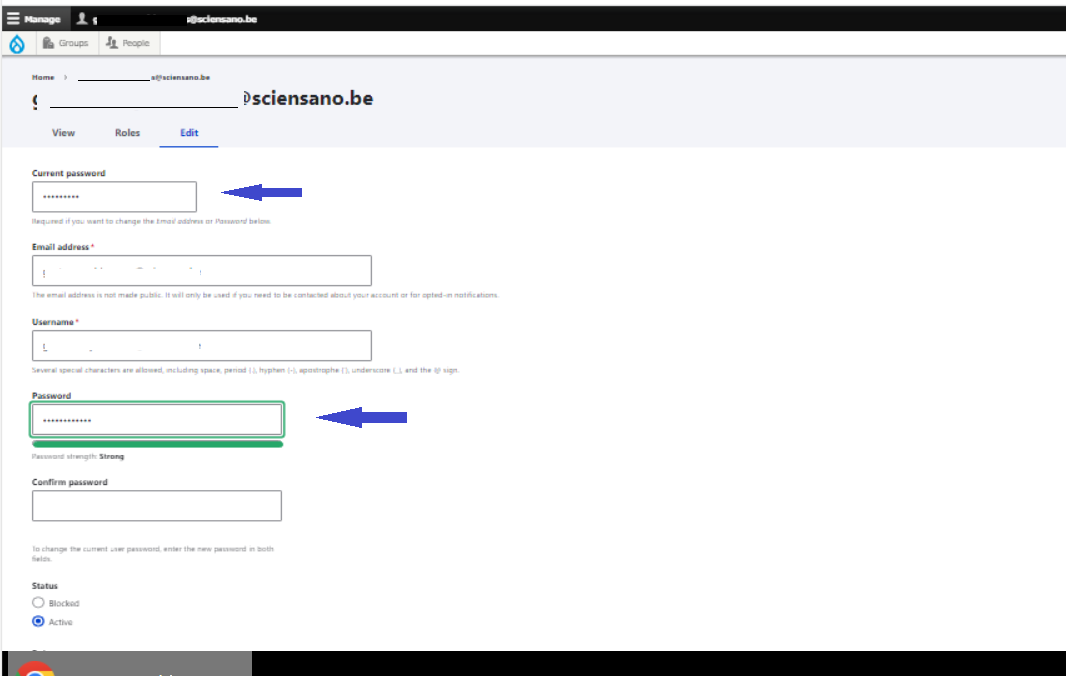
Complete the form below with your current password, your details and the new password. Repeat the new password to confirm it. (The second password field only appears, when you start to type the new password.)
Click on the Save button to perform the change.