 docs.healthdata.be
Reset password
Last updated: 2024-08-19 19:38
Since the Self-Service Portal is installed isolated on the installation of an Organization, there is no automated e-mail capability present. Whenever the User Manager or DP Manager resets the password for the member, a random password is being generated, which then needs to be posted to the said member.
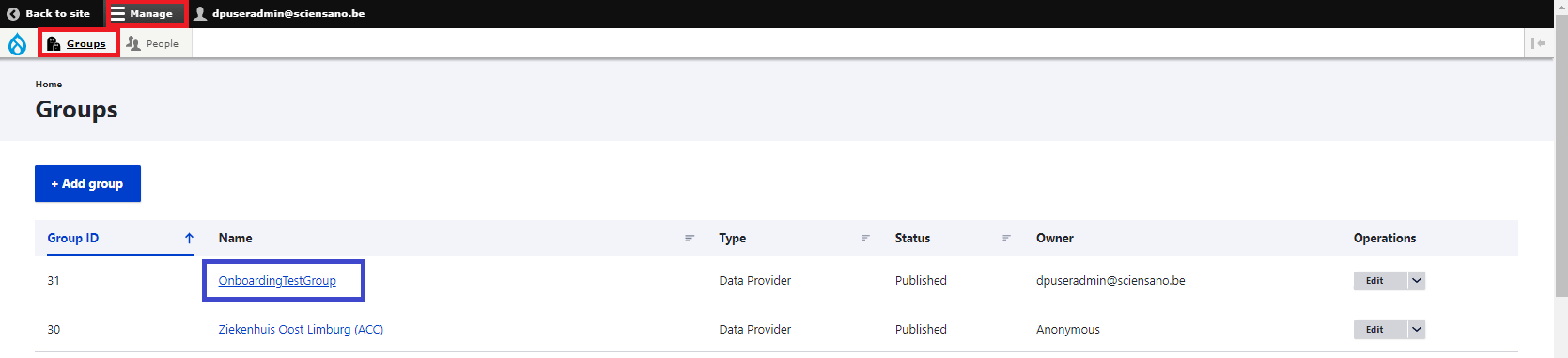
Click on Manage, then on Groups. Now, select OnboardingTestGroup:
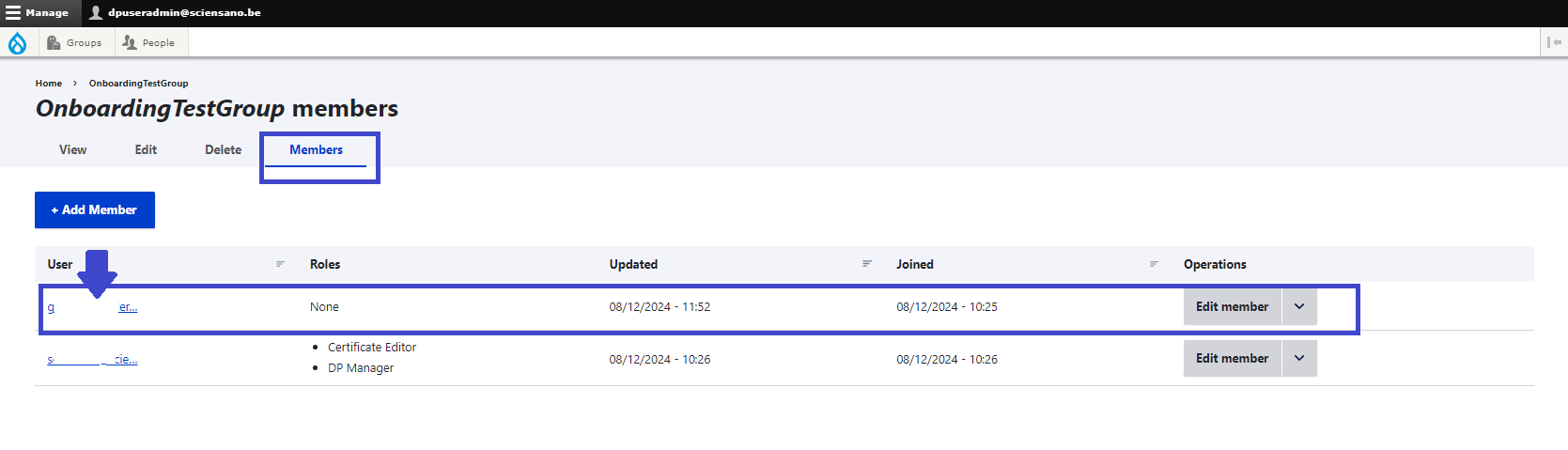
Select the Members tab in the OnboardingTestGroup screen and subsequently select the member for whom the password needs to be reset.
Complete the form below with the new password and repeat it for confirmation. (The second password field only appears, when repeating the new password.)
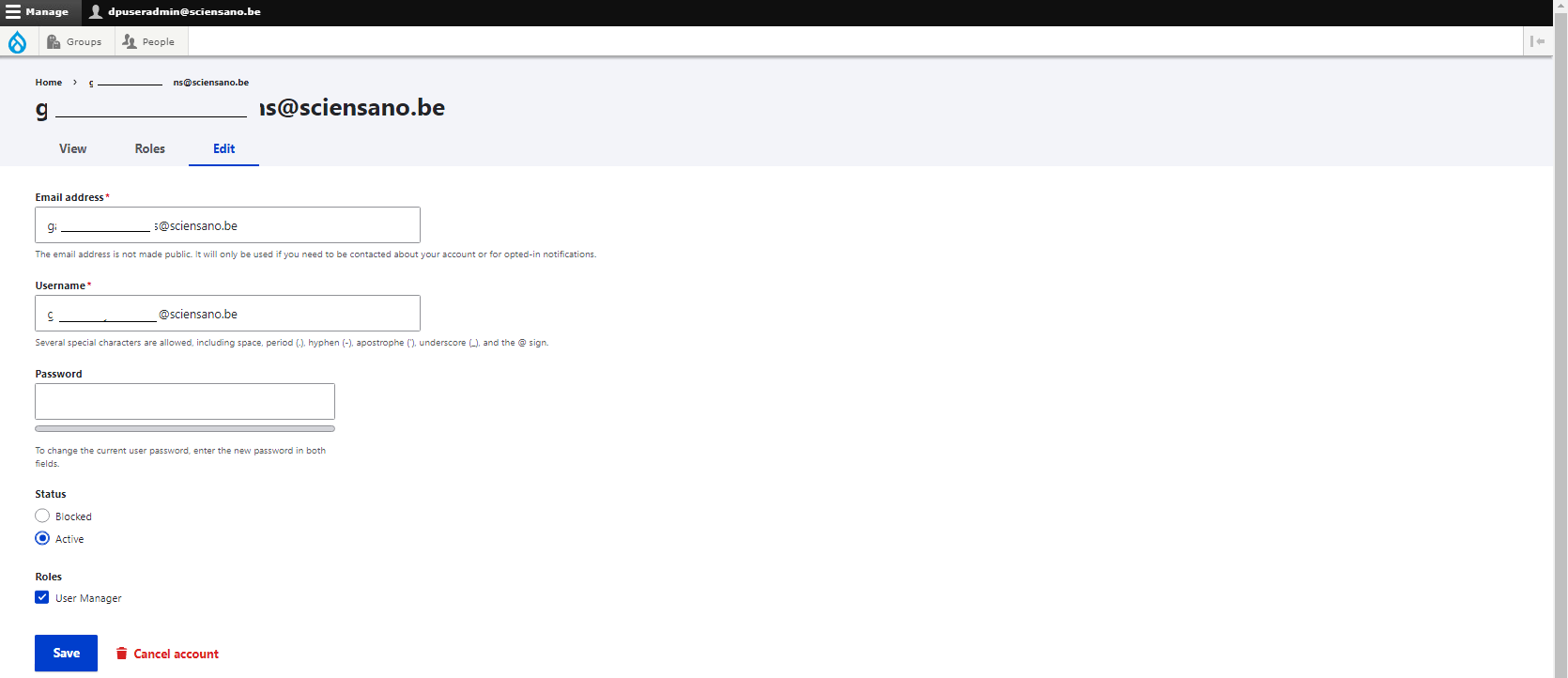
Click on the Save button to carry out the change.