 docs.healthdata.be
The Help tab
On this page you are offered several ways of support regarding HD4DP v1. When clicking on the Help tab, the following menu appears. Each component is described further below.

Page guide
This wizard helps to explore the HD4DP v1 application. It provides more information on each of the tabs Registrations and Settings. Click 'next' each time to go to the next functionality.
Examples:
- You have opened the Registrations tab, and are wondering about the way of working on this page. Just click on the Help tab and then select Page guide to find out. The steps are numbered.

- You have opened the Settings tab, and are wondering about the functionalities on this page. Just click on the Help tab and then select Page guide to find out. The steps are numbered.

Support center
Choose ‘Support’ to be redirected to the support service page of healthdata.be. This page can also be reached
Articles on how to use HD4DP can be found here.
In the 'Help' menu, you can choose from the following subjects: 'Support' and 'Contact'.
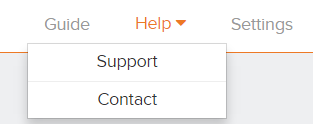
Support
Choose ‘Support’ to be redirected to the support page from Healthdata. Articles on how to use HD4DP can be found here.
Use the search bar for a specific item. Enter a key word and the related articles will be shown.
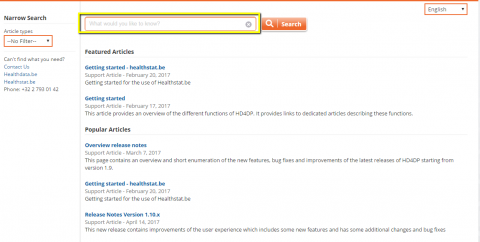
In the left sidebar you can find the links to:
- Healthdata.be
- HealthStat.be
- Public question
- Telephone number
Contact
Selecting 'Contact' in the menu will first invite you to ask your question, to check whether the answer is not yet in our support articles.
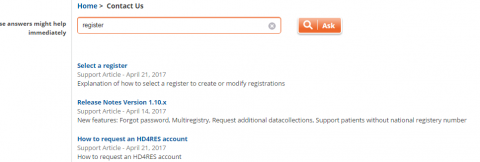
On the bottom of the search result you can then indicate whether you have found your answer or you can still choose to submit your question.

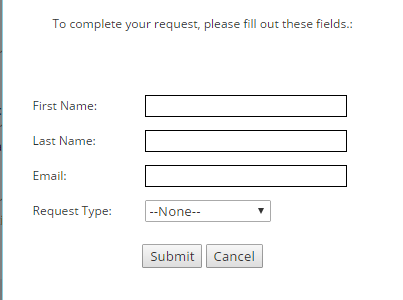
In case you click 'Yes, submit my question', a dialogue box appears that you can fill in. Automatically a case is created which will further be followed up by the healthdata support team.
You can of course always send an email with your questions directly to support.healthdata@sciensano.be.