 docs.healthdata.be
Wachtwoord voor HD4DP 2.0 resetten
Nadat u uw credentials hebt ontvangen om in te loggen op de HD4DP 2.0 applicatie, kunt u overwegen om uw wachtwoord opnieuw in te stellen en er een te kiezen dat u makkelijker kunt onthouden.
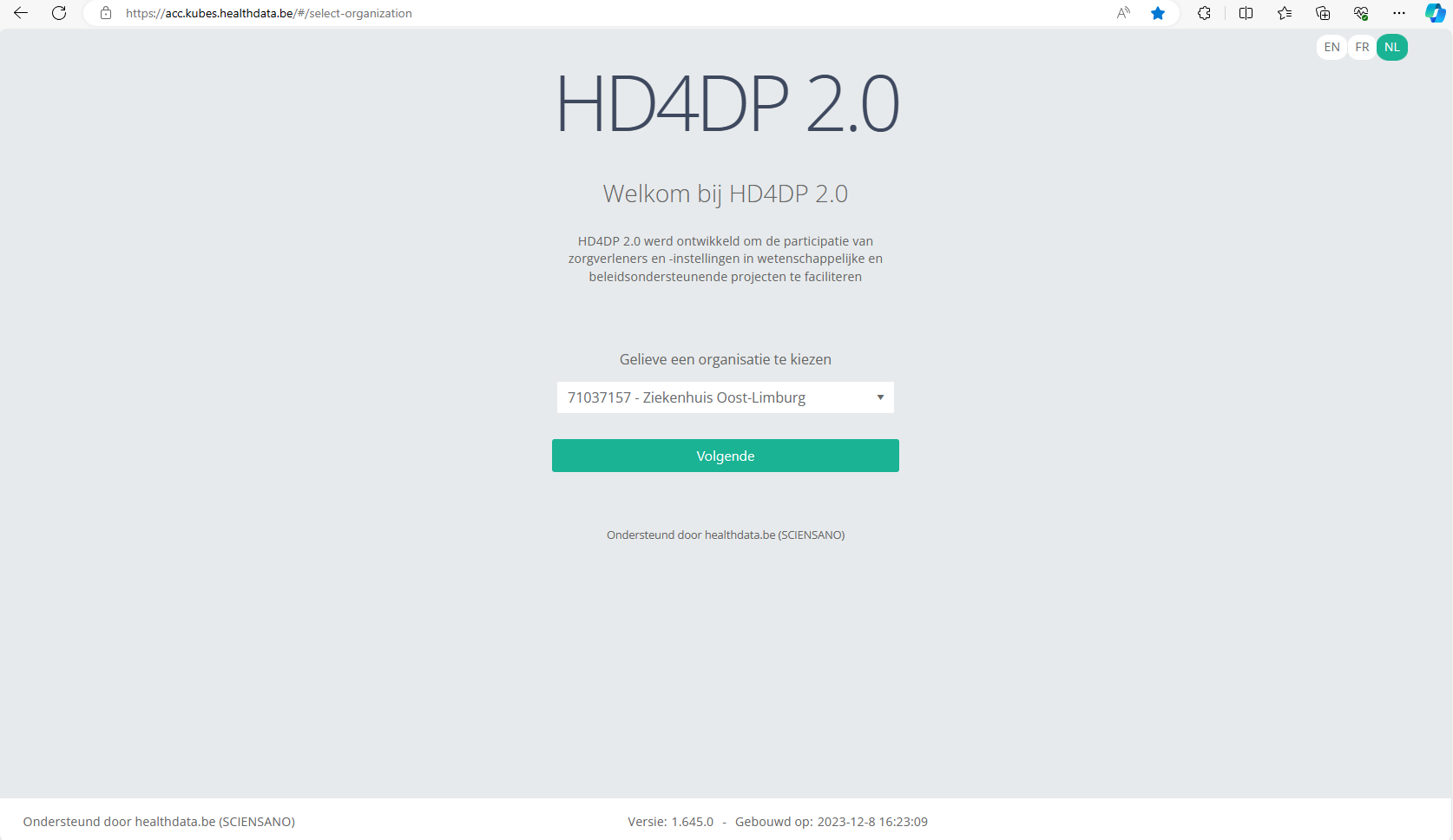
Go to URL https://acc.kubes.healthdata.be/, select your organization and click on the Next button.
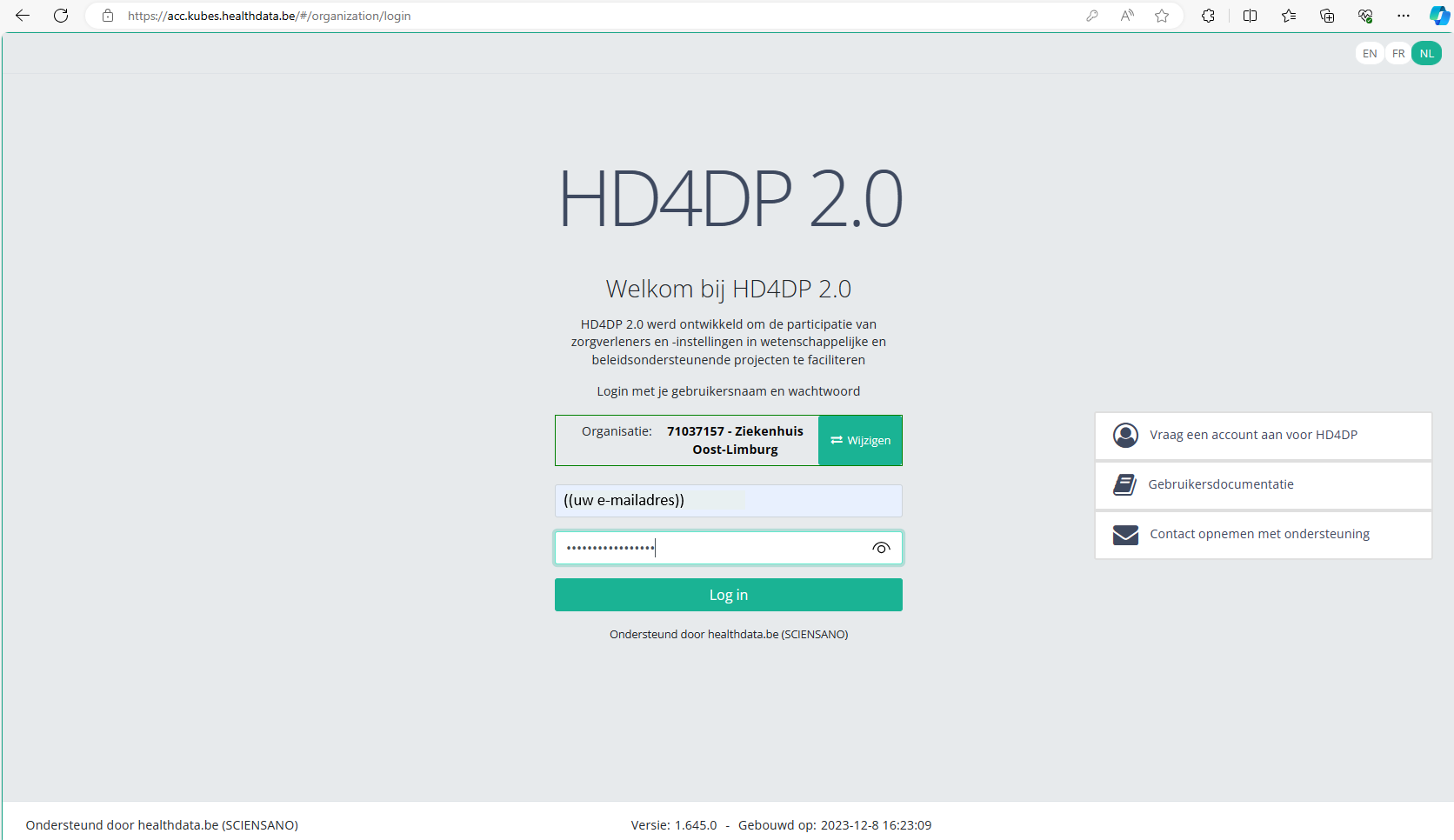
Fill in your e-mail address and the password you received. Click on the Log in button.
The main HD4DP 2.0 application screen appears. On the left you can see the menu of study programmes and study projects, on the right you have the section in which the relevant registrations will become available.
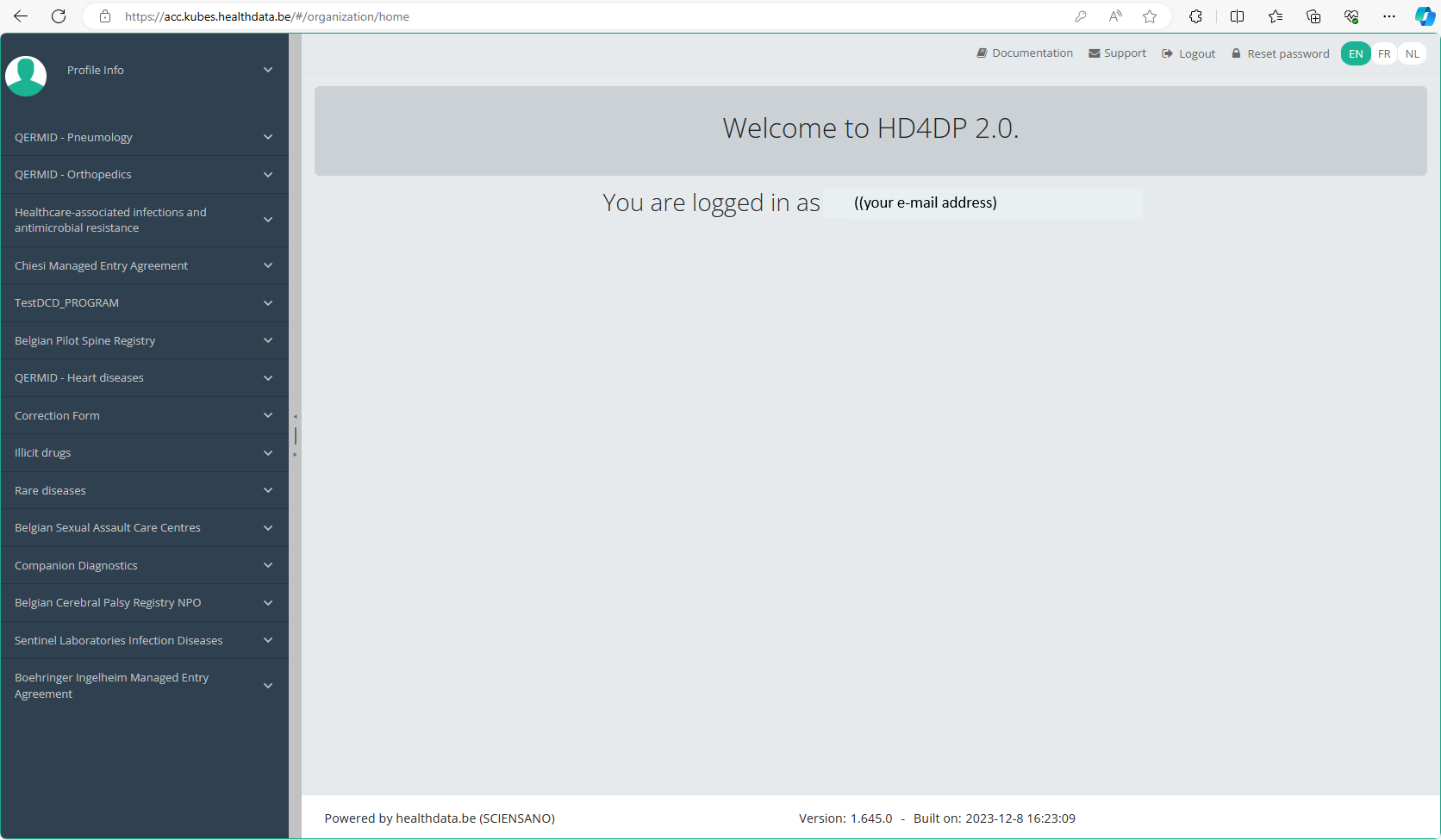
At the top right of the screen you notice the Reset password link. Click on it.

Reset the password you have received by filling in the password of your preference. Repeat the new password in the verification field and click on the Submit button.
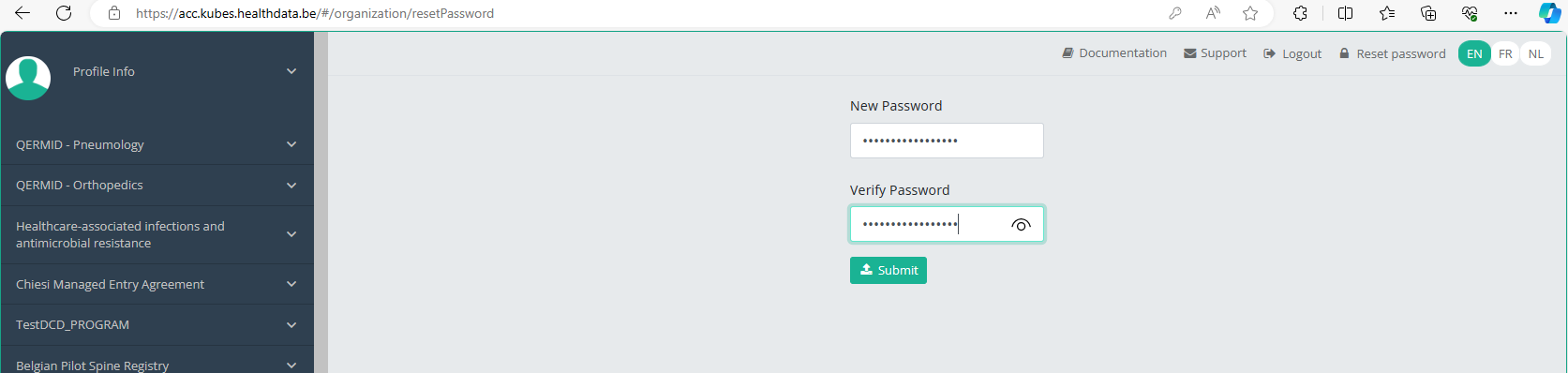
You will be redirected to the main screen, and the password will be reset in the background. You don't need to log in again now.
When logging back in for a next registration session you will have to use your new password.