 docs.healthdata.be
SPOC acties
In dit artikel bespreken we de verschillende acties van een SPOC meer in detail.
SPOC acties na een aanvraag
De SPOC wordt verwittigd, wanneer een collega een aanvraag voor toegang heeft ingediend, zodat hij via de overzichtstabel alle aanvragen voor zijn organisatie kan beheren.
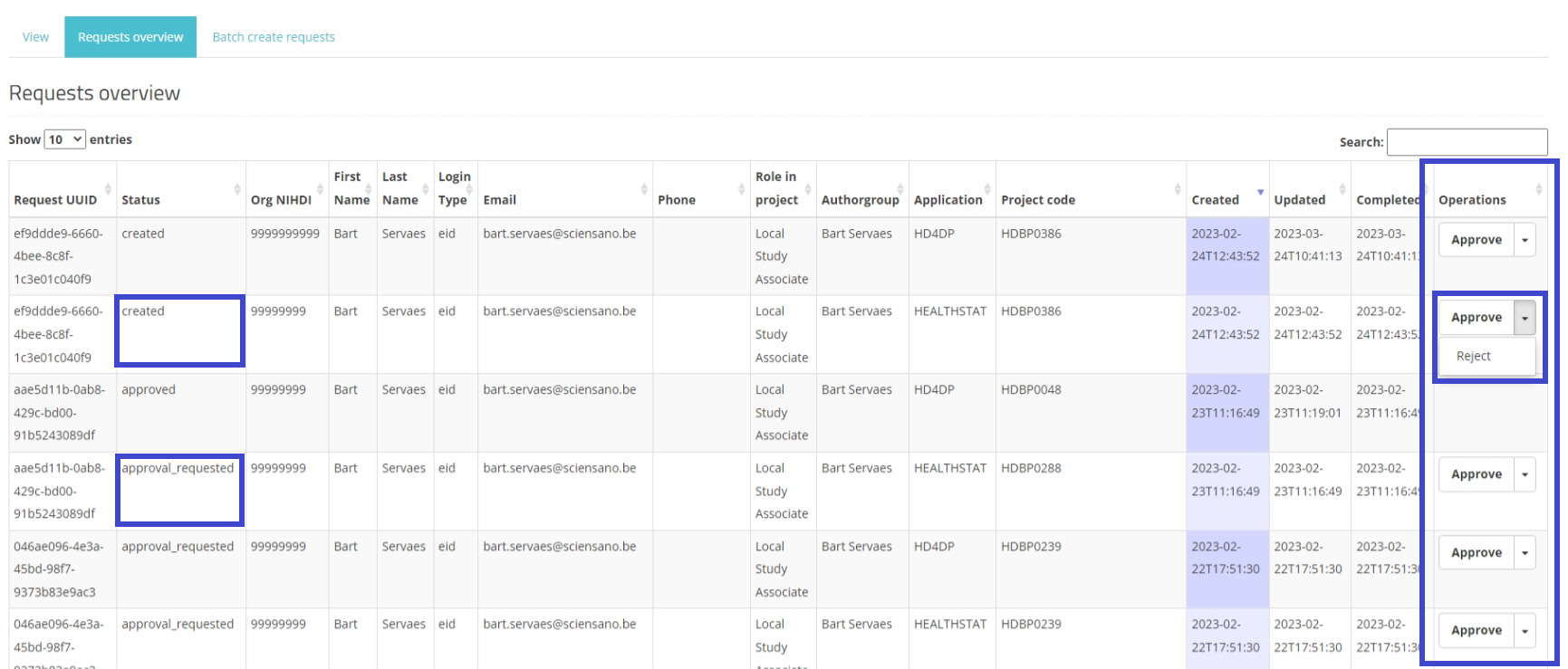
Om de overzichtstabel te openen, navigeert de SPOC naar "My Profile" om er het tabblad "Requests overview" te selecteren. Het overzicht van de aanvragen wordt geopend (zie figuur hieronder).
In het veld Actions wordt een Approve/Reject selectieknop weergegeven naast elke aanvraag met de status created of approval_requested (in blauw kader). De SPOC heeft nu de mogelijkheid om twee acties uit te voeren: de aanvraag van de gebruiker goedkeuren of deze afkeuren.
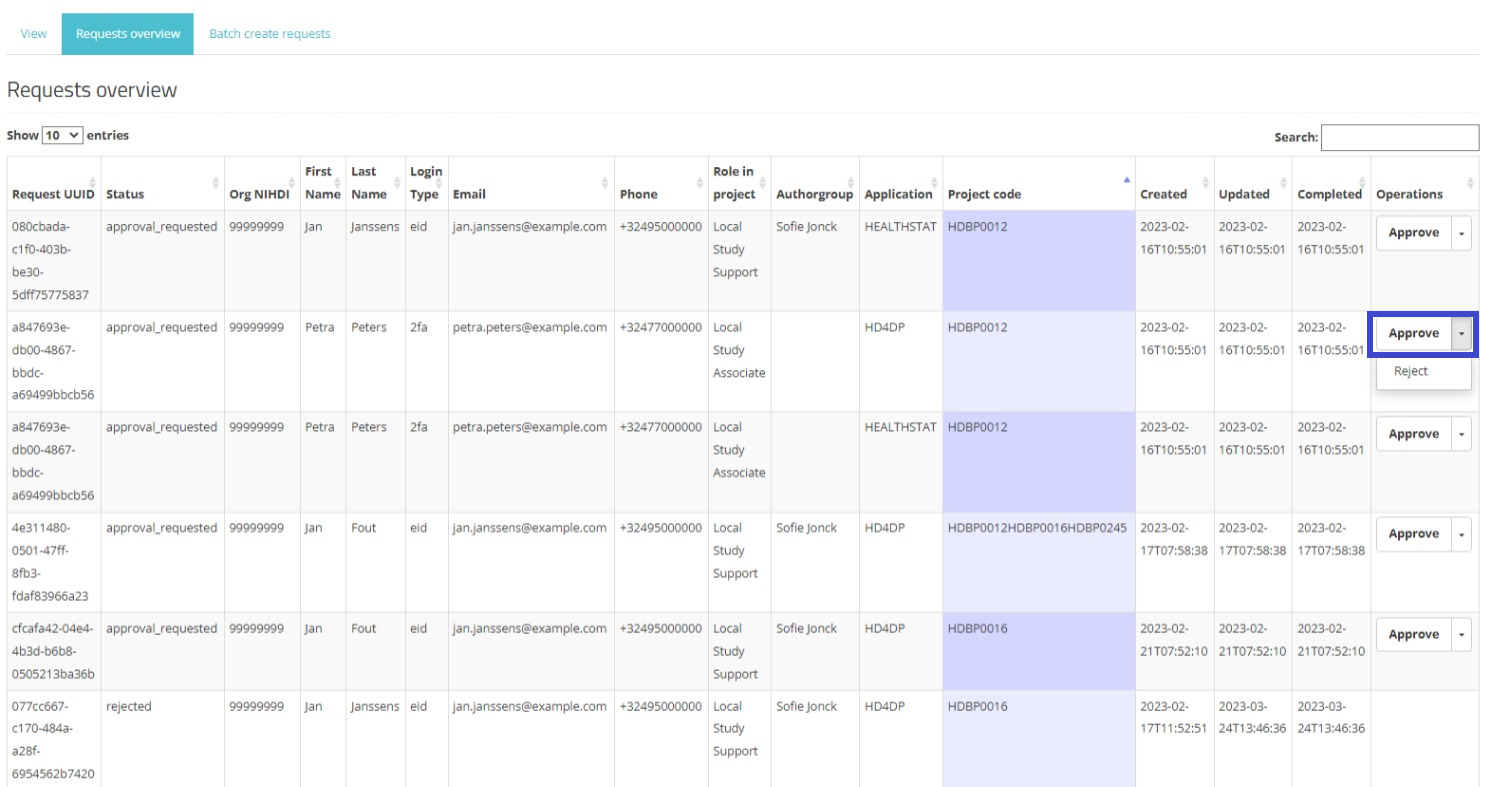
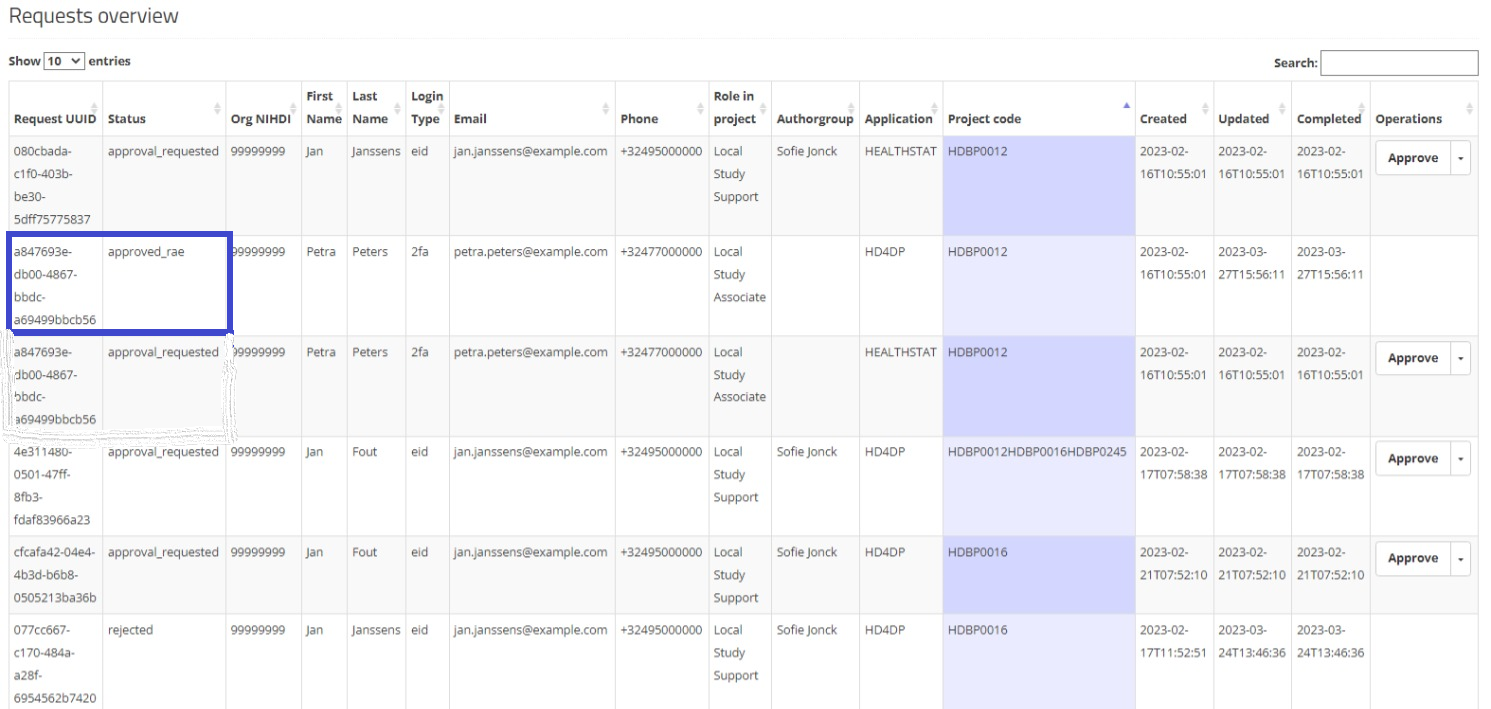
When selecting Approve, and after confirmation of this action, the status of the request changes to "approved_rae" and the dates in both fields Updated and Completed are updated accordingly as demonstrated in the screenshots below. Once the registry goes in production the account will be created automatically and the credentials will be shared to the user by e-mail.
Approve action:
Approved:
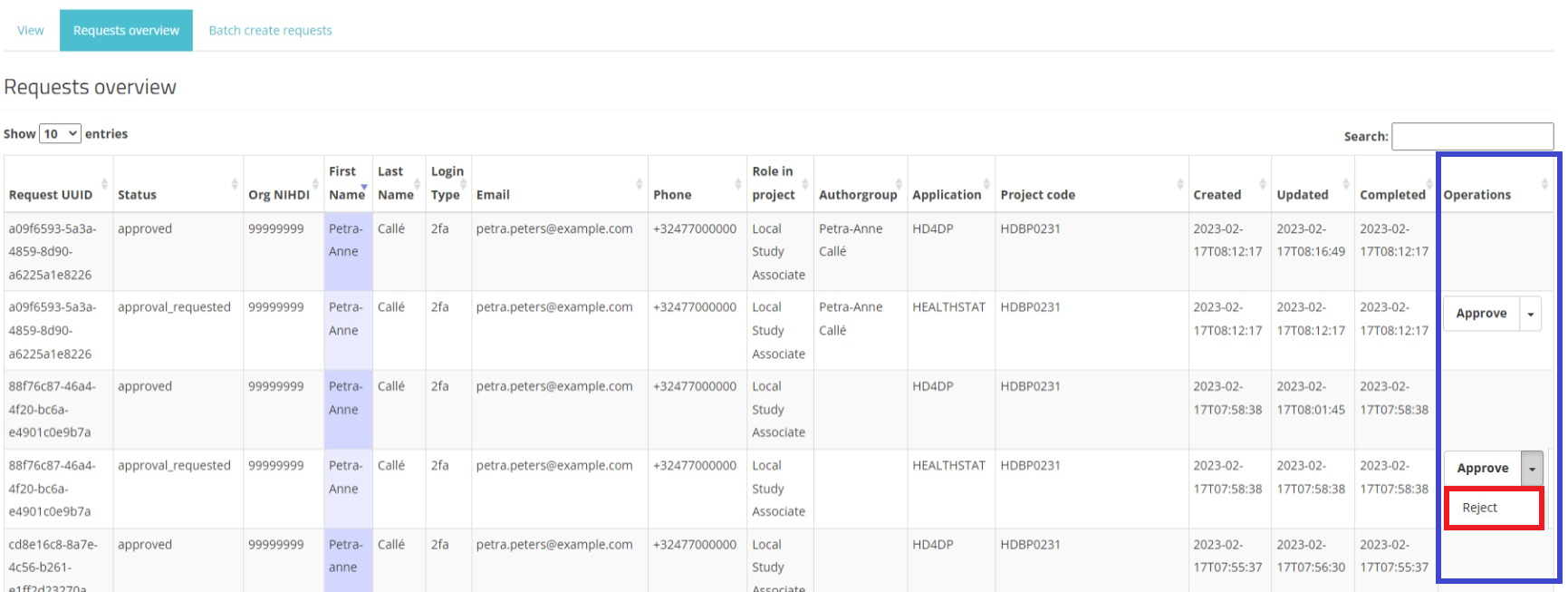
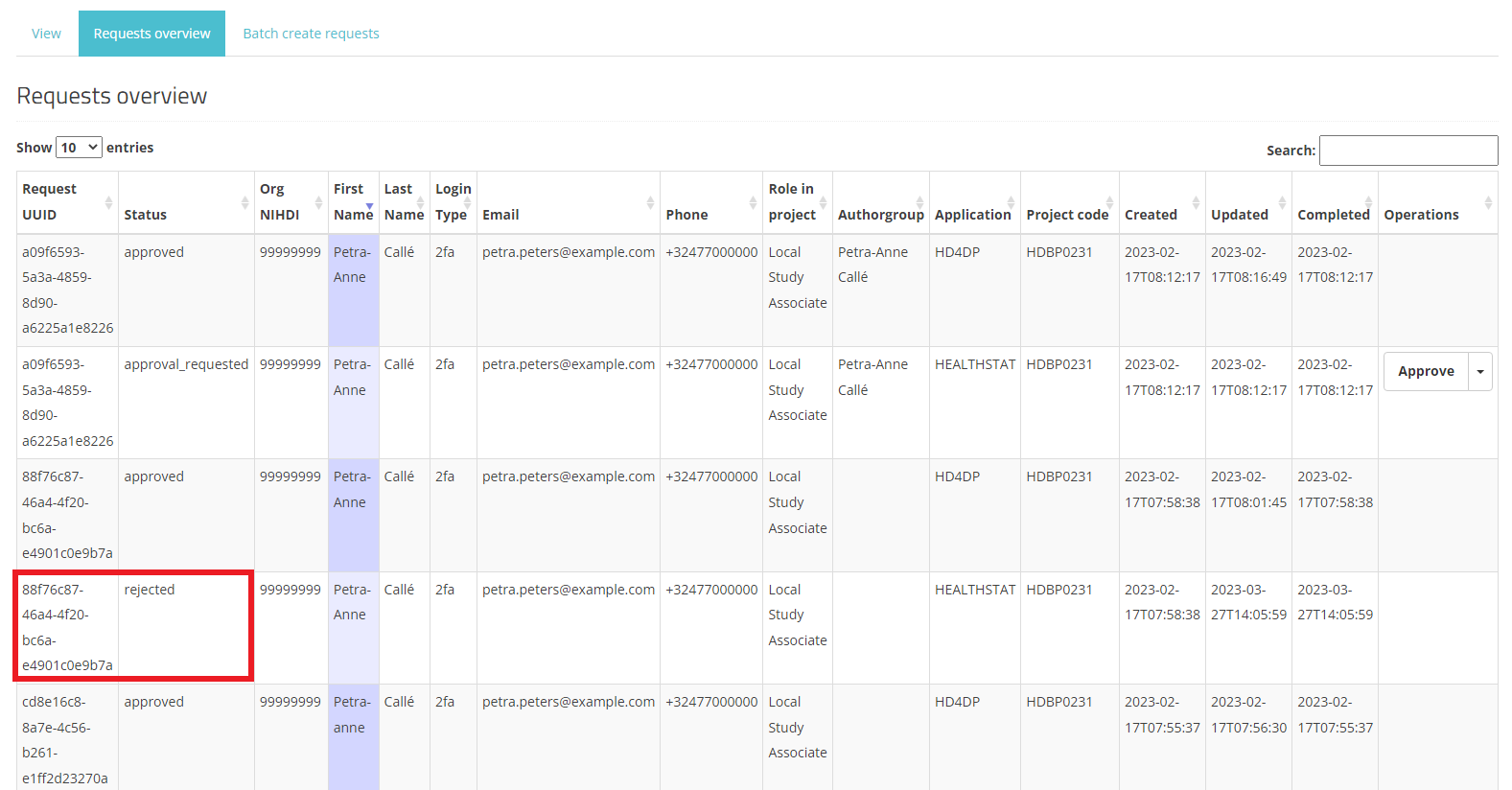
When selecting Reject, and after confirmation of this action, the request receives the status "rejected", the dates in the fields Updated and Completed are updated accordingly. A rejected request remains in the overview for information purposes. Compare following screens:
Reject action:
Rejected:
This documentation is being updated regularly. We try to provide as correct, complete and clear as possible information on these pages. Nevertheless, if you see anything in the documentation that is not correct, does not match your experience or requires further clarification, please create a support ticket via our portal Jira Service Management or send us an e-mail via support.hd@hda.fgov.be to report this documentation issue. Please do not forget to mention the URL of the page. We will then adjust the documentation as soon as possible. Thank you!