 docs.healthdata.be
Een BSACC-ME "Eerste aanmelding" registratie verwijderen
Om een Eerste aanmelding registratie te verwijderen voor het studieproject Belgische zorgcentra na seksueel geweld: Monitoring en evaluatie, selecteert u "Eerste aanmelding" in het donkerblauwe menu links op het scherm.

Wanneer u een versie van dit studieonderdeel selecteert, ziet u de overzichtstabel in het hoofdgedeelte van uw scherm. Deze tabel bevat onder andere: Registratie ID, Vooruitgang, Auteur, Co-auteur, Unieke ID, Business Key, Registratiecode, Rijksregisternummer van de patiënt…

Gebruik de filters in de kop van de tabel om de registratie te vinden die u wilt verwijderen.
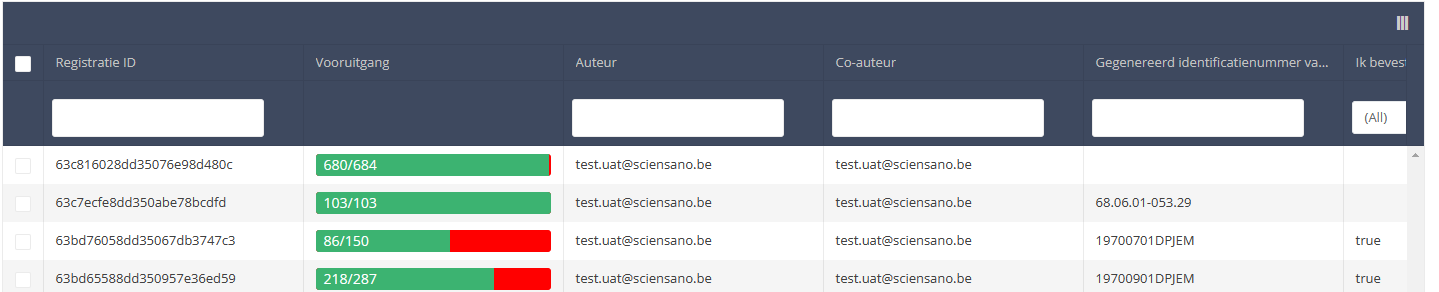
Once you have found the registration you want to delete, you must select the registration by checking the checkbox at the beginning of the row in the overview table.

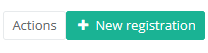
Then you need to press the "Actions" button at the top right of the summary table.
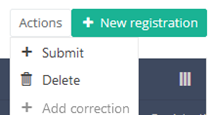
There are now two options, "Submit" and "Delete". Now press "Delete".
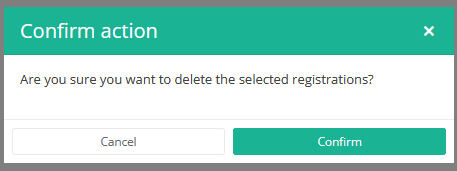
After you press "Delete," a pop-up message will appear asking you to confirm the deletion of the selected registration(s). If you are sure about this action, press "Confirm." If not, press "Cancel."
If you delete the registration, you cannot change its status or content.
The deleted registration will not be removed from the summary table. It remains present, but the status has changed from "Open" to "Deleted".
If you want to see only Open and Sent registrations, you can adjust the filter on the "Status" item in the summary table.
A First registration registration can be deleted as long as the registration has not yet been submitted. If the status of a registration is "Open", the registration can still be deleted.
This documentation is being updated regularly. We try to provide as correct, complete and clear as possible information on these pages. Nevertheless, if you see anything in the documentation that is not correct, does not match your experience or requires further clarification, please create a support ticket via our portal Jira Service Management or send us an e-mail via support.hd@hda.fgov.be to report this documentation issue. Please do not forget to mention the URL of the page. We will then adjust the documentation as soon as possible. Thank you!