 docs.healthdata.be
Option 2: MyCareNet integration in HD4DP v2
Three major actions are required in order to setup MyCareNet in HD4DP v.2:
- Whitelisting URLs
- Upload eHealth certificate in HD4DP v.2
- Provide eHealth password to make the interface work with NIC/CIN.
Whitelist URL
The following URLs must be whitelisted to communicate with MyCareNet and E-health. Without a direct connection from HD4DP v.2 server to these URLs, a registration to MyCareNet will not work.
https://prod.mycarenet.be:9443/*
https://services.ehealth.fgov.be/*
Create certificate with labels
This part requires your organization's eHealth certificate. Create a certificate that has the name ehealth_certificate.p12 using the open source GUI KeyStore Explorer. Download and install the tool from https://keystore-explorer.org/
- Open KeyStore Explorer, and create a new KeyStore

2. Select the type of the new KeyStore: PKCS#12

3. In the menu bar go to Tools -> Import Key Pair
4. Select the type of key pair import required:
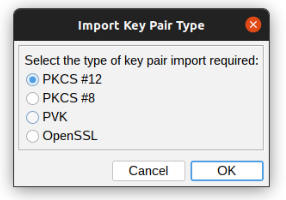
5. Browse the Ehealth NIHII-HOSPITAL P12 certificate and fill in the Decryption Password

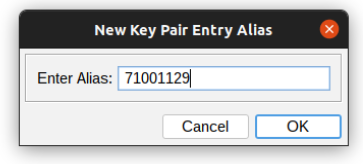
6. mport the PKCS #12 Key Pair and give it the NIHII number as alias, ex 71001129
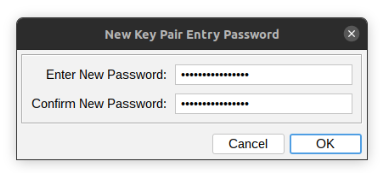
7. Click OK and give it a password that needs to be same for all imported certs in the P12 KeyStore
8. The Key Pair is imported successfully

9. Repeat step 3 to 8 to add more NIHII-HOSPITAL P12 certificates to this KeyStore
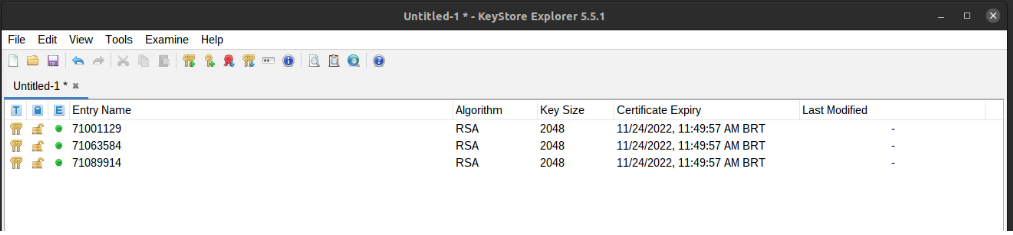
10. In the menu bar go to File -> Save All
11. Set the KeyStore Password and give it a password that needs to be same for all certs
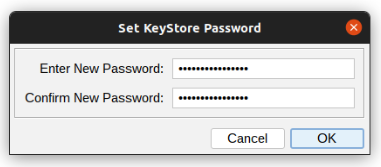
12. Click OK and save the KeyStore as ehealth_certificate.p12

13. Click save and the P12 for HD4DP is created
Upload certificate
The filename of your P12 certificate must be ehealth_certificate.p12
Server: IP of HD4DP v. 2 server
Username: (your SFTP credentials)
Password: (your SFTP credentials)
Path: /data/localsftp/upload (home directory of thesftpuser)
File: ehealth_certificate.p12
The server name and the sftp credentials can be requested via our Service Portal. The password of your P12 certificate can be delivered to Healthdata either via a secure password sharing tool of your choice or via Belnet Filesender to hd-architecture-2@sciensano.be. You can request a Belnet Filesender voucher via our Service Portal as well.
Deze documentatie wordt regelmatig bijgewerkt. We proberen de informatie zo correct, volledig en zo duidelijk mogelijk weer te geven. Als u desondanks iets in de documentatie ziet dat niet correct is, niet overeenkomt met uw ervaring, of verdere verduidelijking vereist, maak dan een support ticket via ons portaal Jira Service Management of stuur ons een e-mail via support.hd@hda.fgov.be om dit documentatieprobleem te melden. Vergeet niet de URL van de pagina te vermelden. Wij zullen de documentatie dan aanpassen. Bedankt!