Overslaan en naar de inhoud gaan
  • Inloggen
  • Sciensano
    • en
    • nl
    • fr
  • Belgium.be
Home docs.healthdata.be

Main navigation

  • Home
  • Projects
  • Applications
  • Processes
  • Meetings
  • Advanced search

HD Incident Management Process

  • Introduction
    • Implementation of the Incident Management Process
    • Start and evaluation of the Incident Management Process
    • Modifications to the Incident Management Process
  • Incident Management
    • Definition and scope
    • Overall Process
      • Diagram
      • Roles & Responsibilities
      • RACI matrix
      • Process activity steps
  • HD Service and Support portal
    • User manual of the Jira Service Management portal
      • Access the Jira Service Management portal
      • How to create an account
      • How to set default language
      • How to create a ticket
      • How to follow up a ticket
      • How to delete your account
      • How to submit a question or complaint
  • Definitions
    • General definitions
    • Abbreviations
  • Documents

Book edit links for How to set default language

  • Printvriendelijke versie

Primaire tabs

  • Weergeven(actieve tabblad)
  • Revisies

How to set default language

Laatst bijgewerkt: 2026-02-20 11:34

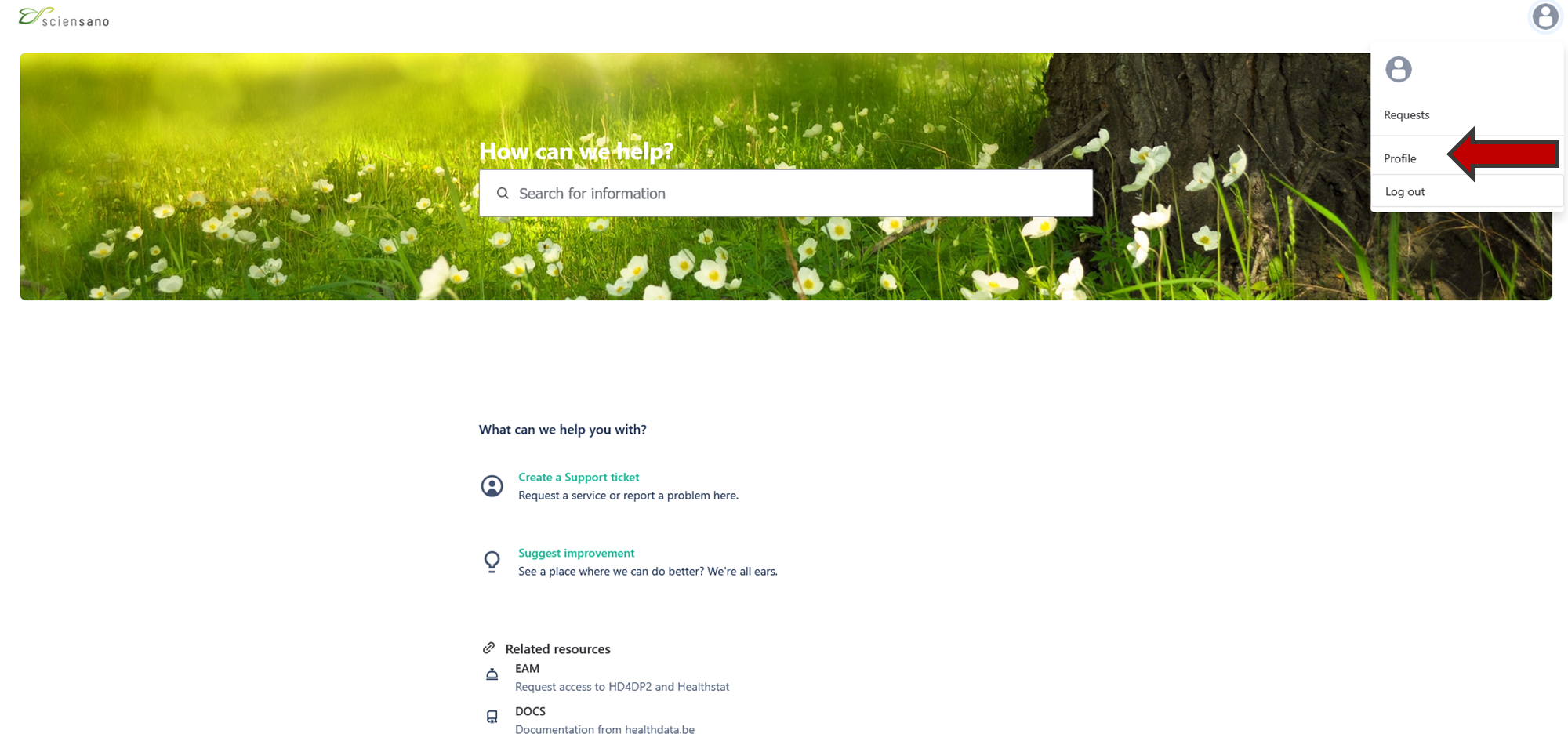
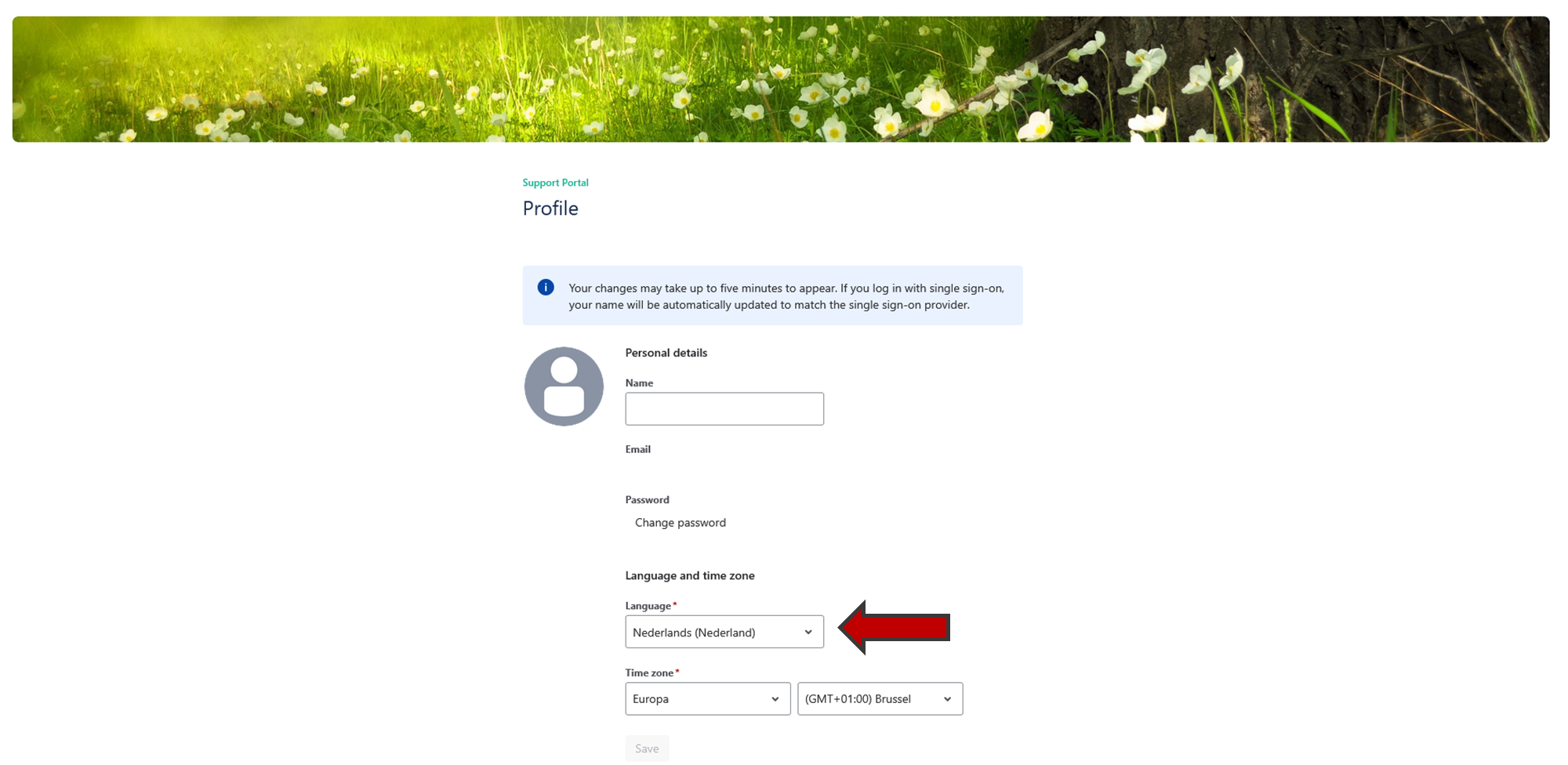
Once you are logged in the Jira Service Management portal, you can modify the default language of the portal.

Go to your profile page on the top right of your screen.

Click on "Profile" and edit the language.
Boeknavigatie-links voor How to set default language

  • ‹ How to create an account
  • Omhoog
  • How to create a ticket ›

Did not find what you were looking for? Contact us.

Contact support
logo

healthdata.be (Sciensano)

Rue Juliette Wytsmanstraat 14
1050 Elsene - Ixelles

+32 (2) 793 01 42
healthdata@sciensano.be

logo