 docs.healthdata.be
EAM actions using the EAM interface
Table of contents
How to request an account using the EAM Portal?
How to approve an account request using the EAM Portal?
How to remove an account using the EAM Portal?
How to restore an account using the EAM Portal?
How to change the user type to Access manager using the EAM Portal?
How to change the user type to Authenticated user using the EAM Portal?
How to change the user type to Manager using the EAM Portal?
How to change the user type to Administrator using the EAM Portal?
How to reset the password of an account using the EAM Portal?
How to view the accounts of all participants of an own project of the own organization using the EAM Portal?
How to view the accounts of all participants of all projects of own organizations using the EAM Portal?
How to view the own project accounts using the EAM Portal?
How to view all accounts of all projects of all organizations using the EAM Portal?
How to request an account using the EAM Portal?
End-to-end actions:
Navigating to the HD EAM Portal page
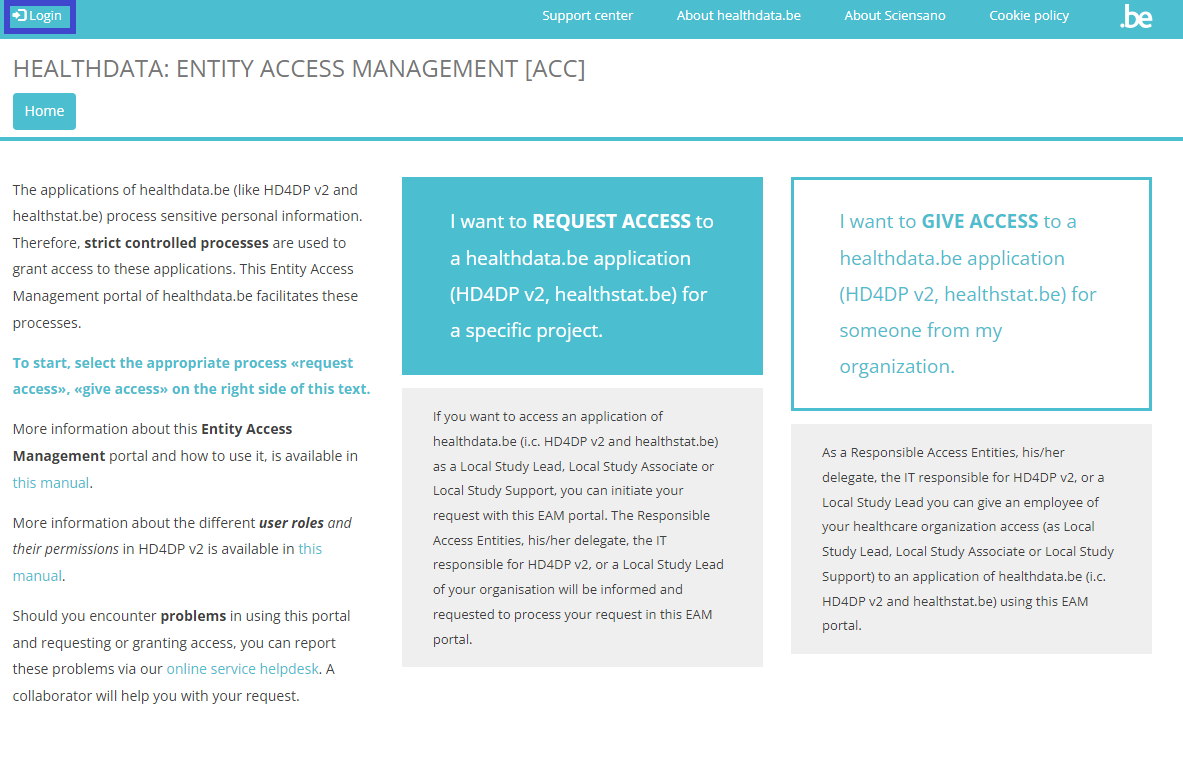
In order to log into our Entity Access Management system, you need to navigate in your internet browser to the URL https://eam.healthdata.be. The healthdata.be Entity Access Management (HD EAM) Portal page appears on your screen.

Logging in with itsme, eID
To login into the HD EAM Portal you need to click on the login symbol at the top left of your screen.
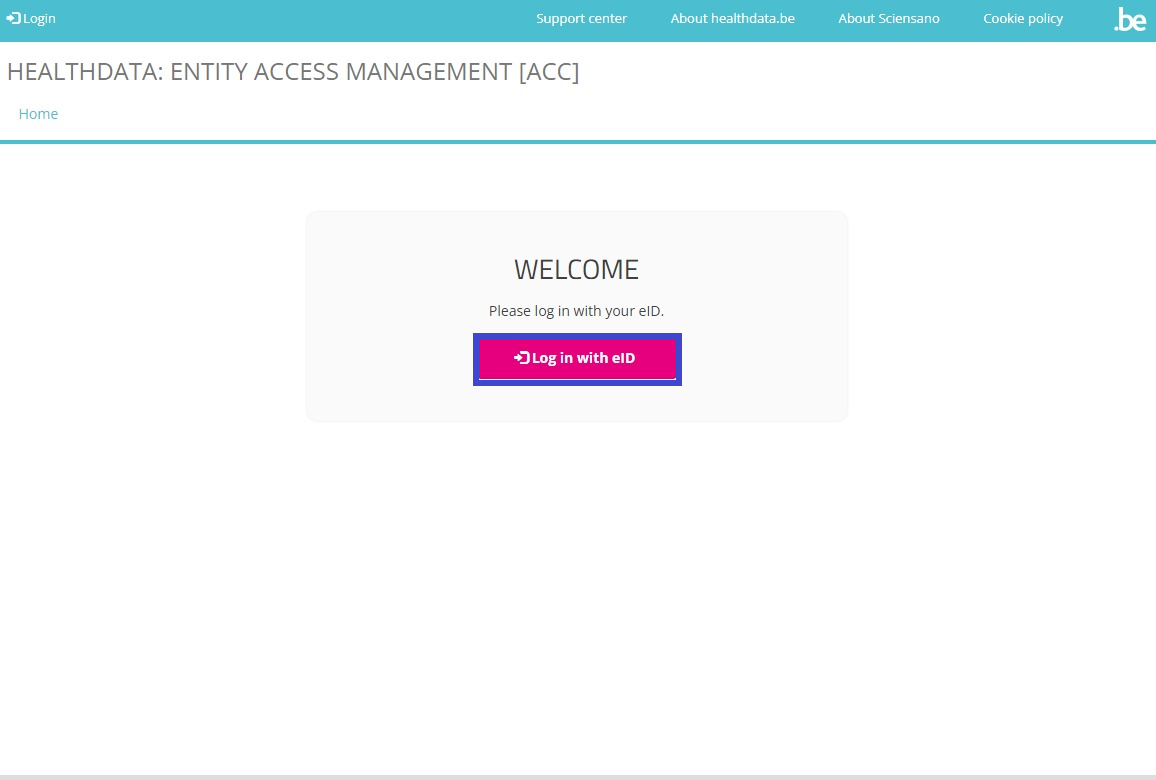
The Welcome screen appears. Select the Log in with eID button.
You will be redirected to the government's Federal Authentication Service (FAS), where you can log in with multiple digital keys with eID or digital identity.

If you choose to connect via itsme, you will need to enter your cell phone number.
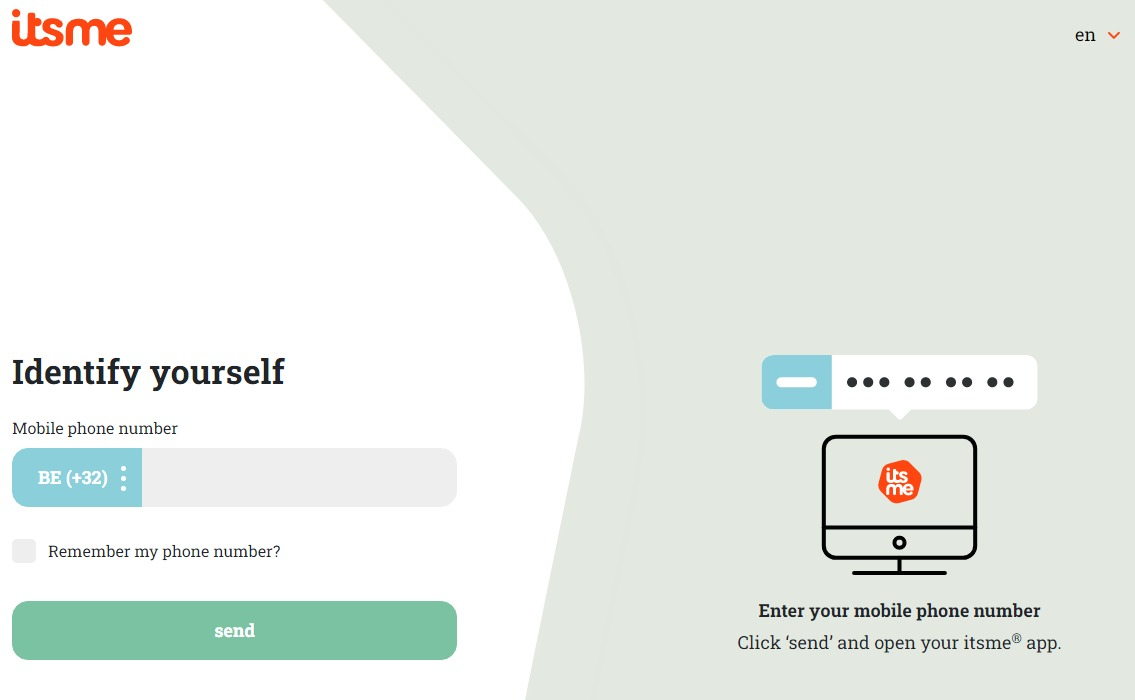
Follow the instructions on your mobile device via the ItsMe application.

Once you have gone through the itsme login procedure, you need to select the green confirmation button (available in FR and NL) in the screen below to access the Sciensano environment.
| NL | FR |
 |  |
Select the green confirmation button ("Profiel bevestigen" or "Confirmer le profil") to log in into the HD EAM system.
Autenticated User profile page
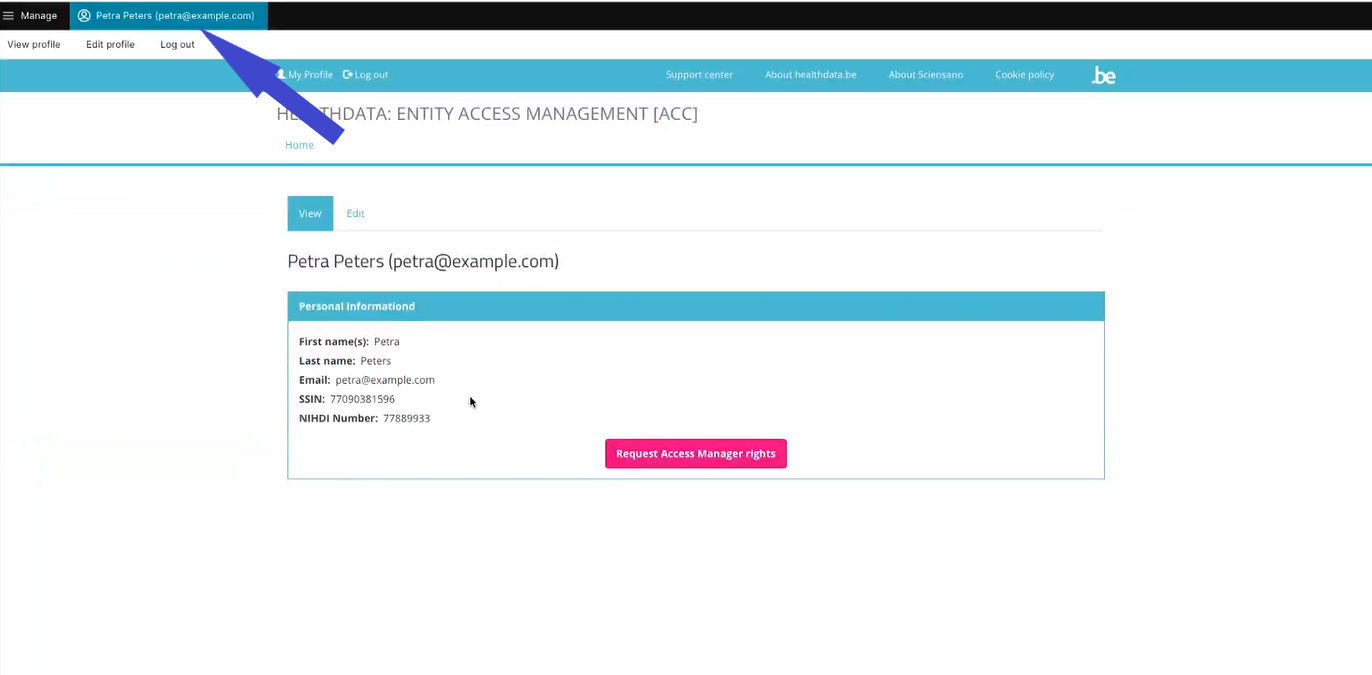
Assuming you are already an Authenticated User you will land on your My profile page that has been completed with the relevant user profile data and that shows an overview of the Linked accounts, if any available.
Becoming an Access Manager
If you want to change your status from Authenticated User to Access Manager you need to send an e-mail to DPO@healthdata.be with your request for this change, mentioning all your profile information.
How to approve an account request using the EAM Portal?
How to remove an account using the EAM Portal?
How to restore an account using the EAM Portal?
How to change the user type to Access manager using the EAM Portal?
How to change the user type to Authenticated user using the EAM Portal?
- yes (autom on login)
How to change the user type to Manager using the EAM Portal?
An Access Manager is not able to carry out this action.
How to change the user type to Administrator using the EAM Portal?
An Access Manager is not able to carry out this action.
How to reset password of an account using the EAM Portal?
An Access Manager is not able to carry out this action.
How to view the accounts of all participants of an own project of the own organization using the EAM Portal?
There is currently no concept "own project"
How to view the accounts of all participants of all projects of own organizations using the EAM Portal?
How to view the own project accounts using the EAM Portal?
There is currently no concept "own project"
How to view all accounts of all projects of all organizations using the EAM Portal?
An Access Manager is not able to carry out this action.