Aller au contenu principal
  • Se connecter
  • Sciensano
    • en
    • nl
    • fr
  • Belgium.be
Accueil docs.healthdata.be

Main navigation

  • Accueil
  • Projects
  • Applications
  • Processes
  • Meetings
  • Advanced search

HD Incident Management Process

  • Introduction
    • Implementation of the Incident Management Process
    • Start and evaluation of the Incident Management Process
    • Modifications to the Incident Management Process
  • Incident Management
    • Definition and scope
    • Overall Process
      • Diagram
      • Roles & Responsibilities
      • RACI matrix
      • Process activity steps
  • HD Service and Support portal
    • User manual of the Jira Service Management portal
      • Access the Jira Service Management portal
      • How to create an account
      • How to set default language
      • How to create a ticket
      • How to follow up a ticket
      • How to delete your account
      • How to submit a question or complaint
  • Definitions
    • General definitions
    • Abbreviations
  • Documents

Book edit links for Access the Jira Service Management portal

  • Version imprimable

Onglets principaux

  • Voir(onglet actif)
  • Révisions

Access the Jira Service Management portal

Dernière mise à jour: 2026-02-20 11:33

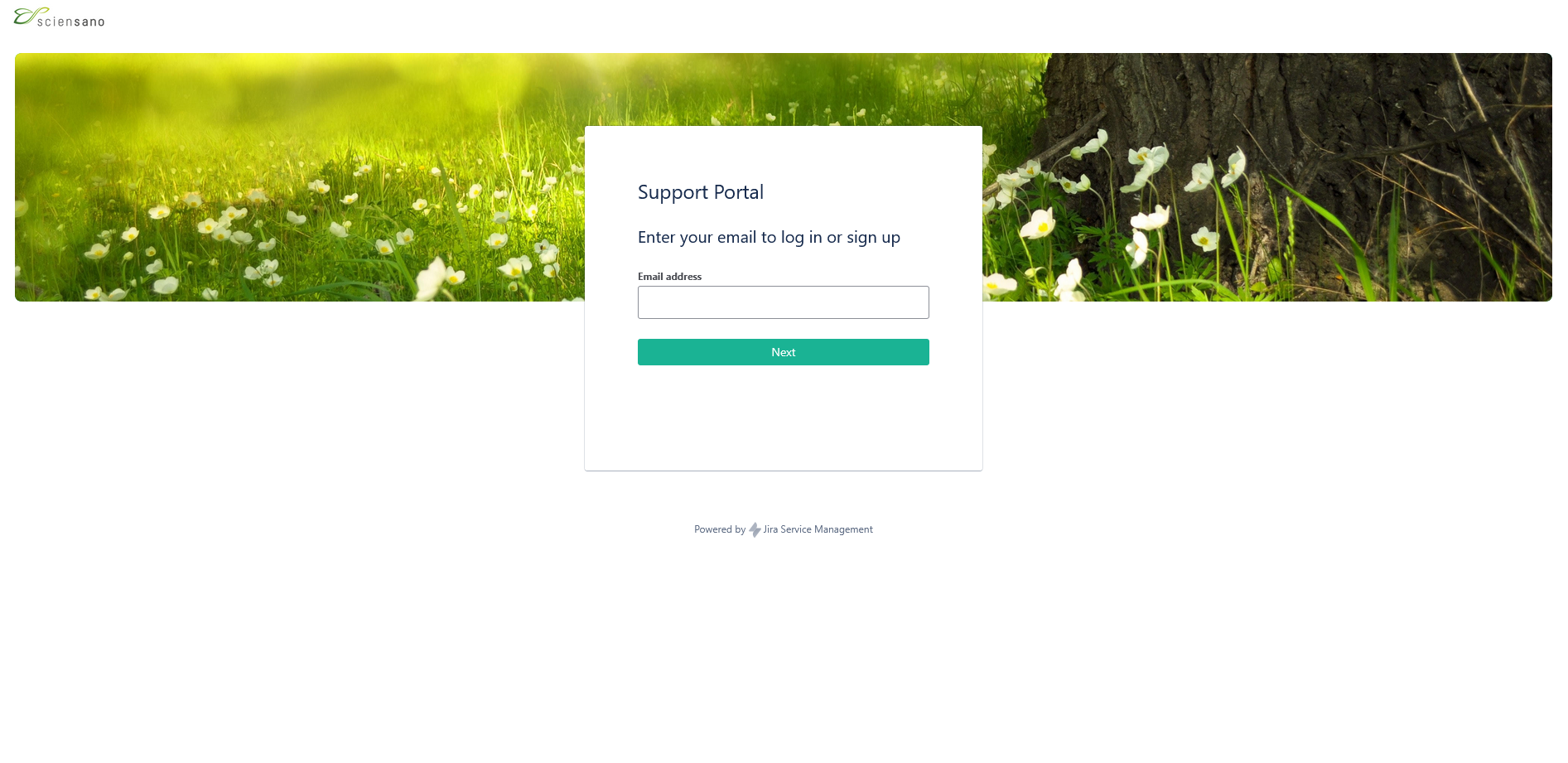
Browse to the public main page of the HD Service and Support portal: Jira Service Management portal.

Enter your e-mail address and click on "Next". This will lead you to the next step, which is "How to create an account".
Liens transversaux de livre pour Access the Jira Service Management portal

  • ‹ User manual of the Jira Service Management portal
  • Haut
  • How to create an account ›

Did not find what you were looking for? Contact us.

Contact support
logo

healthdata.be (Sciensano)

Rue Juliette Wytsmanstraat 14
1050 Elsene - Ixelles

+32 (2) 793 01 42
healthdata@sciensano.be

logo