 docs.healthdata.be
Remove members
Dernière mise à jour: 2024-07-22 16:26
Go to the home page to have an overview of all Organizations (Groups).
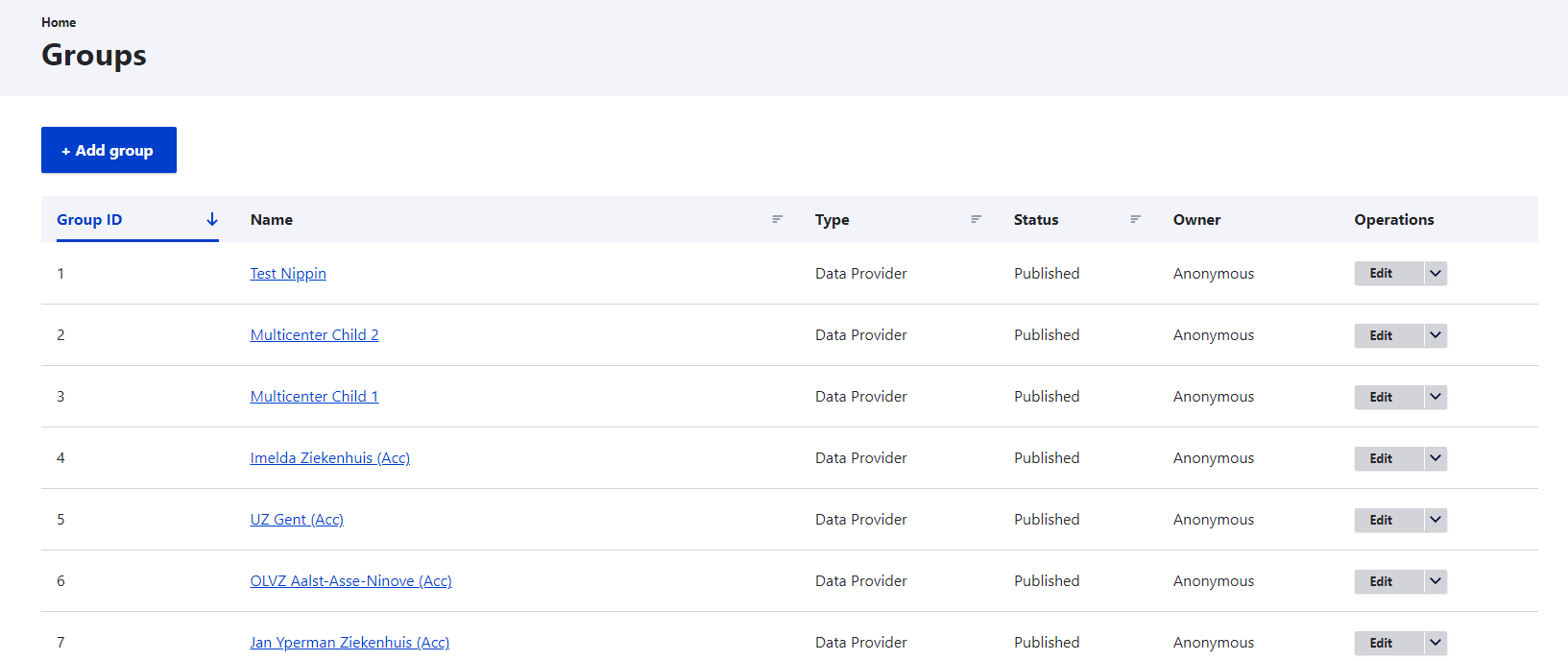
Select an Organization from which you want to remove members by clicking on it in the Name column.
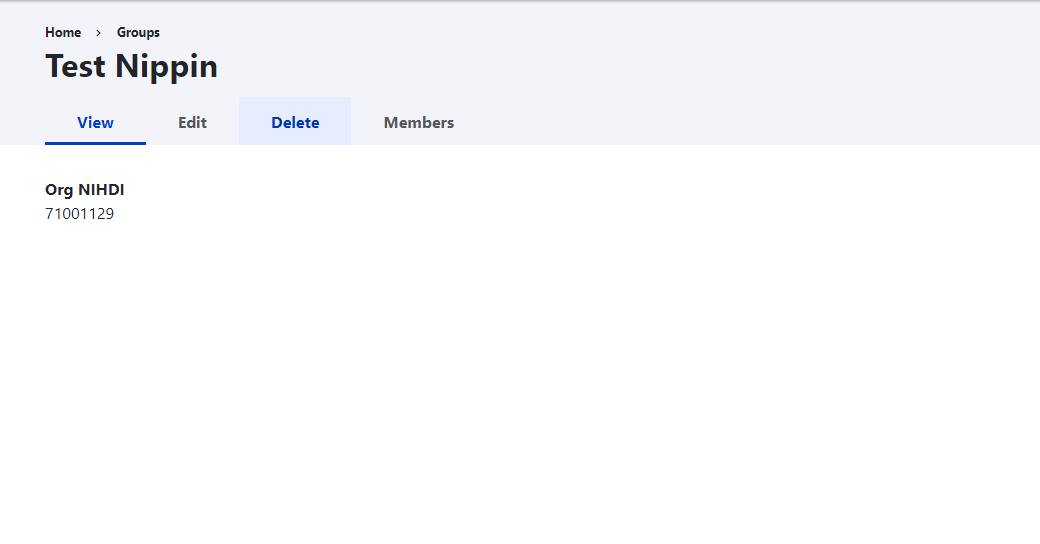
Go to the Members tab to discover the Add Member button, and click on it to add a new or existing member to the organization. Adding an existing member means that the member is known to the system (e.g. member of another Organization), but not added to this list.
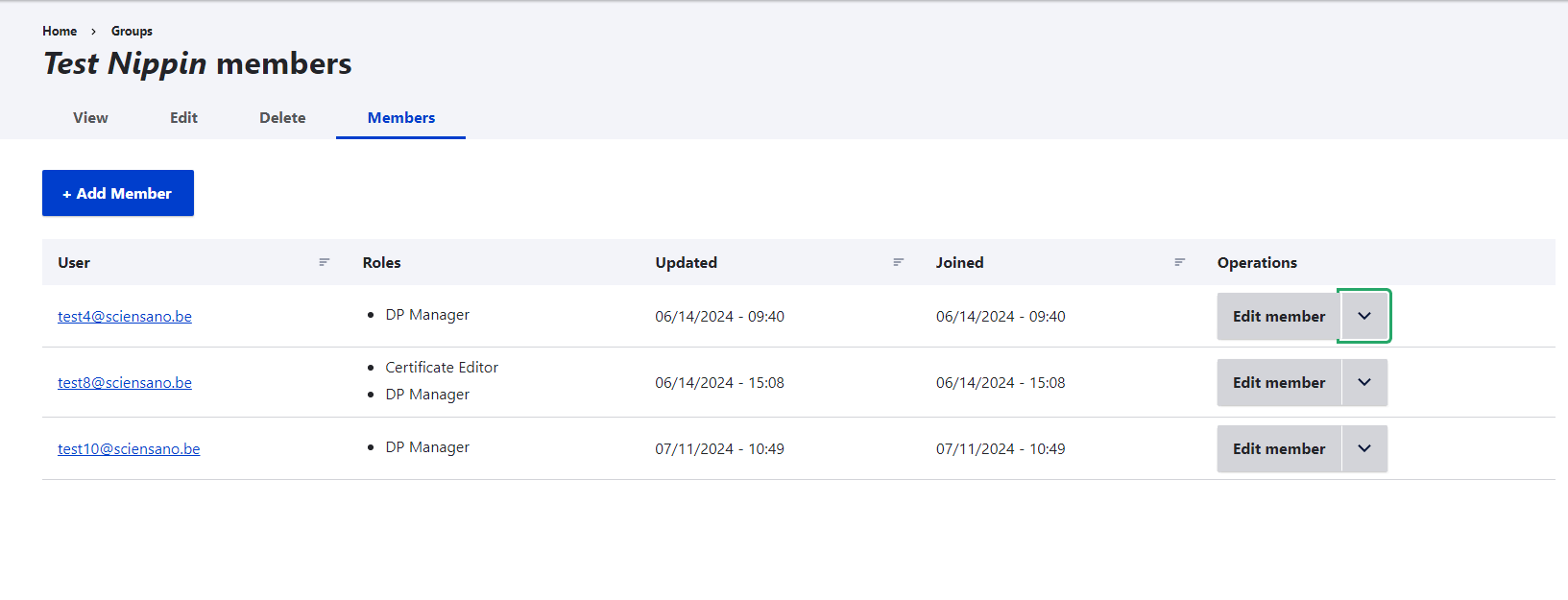
Click on the Edit member selection button at the level of the member you want to remove. The toggle options appear.
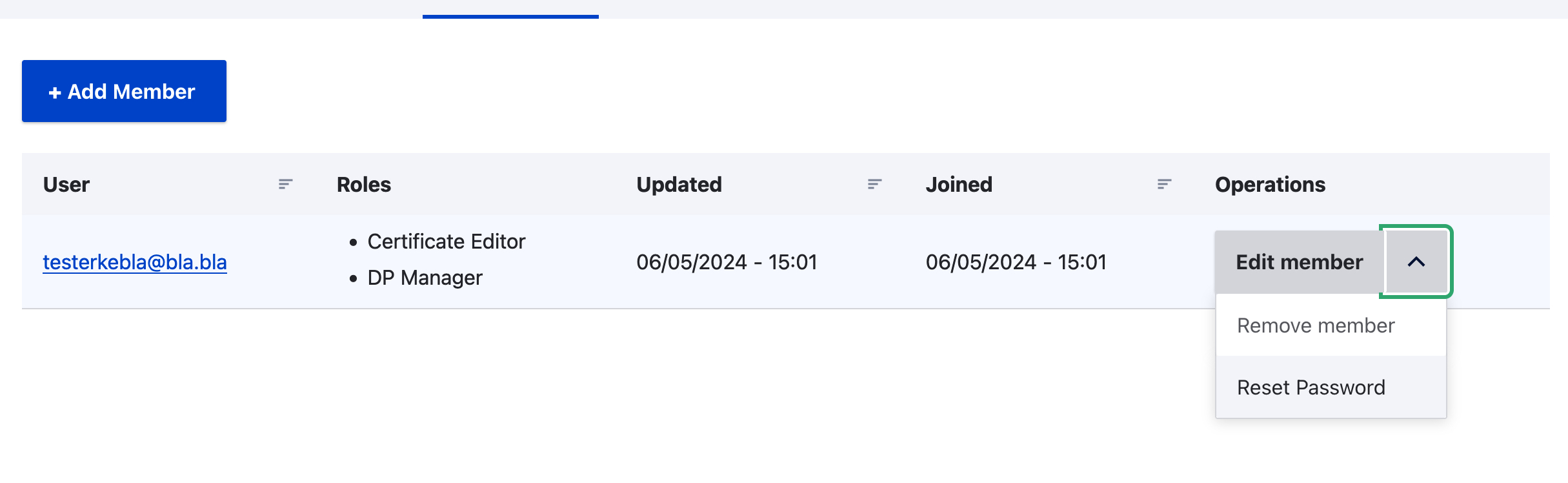
After having selected the Remove member operation, the following window pops up.
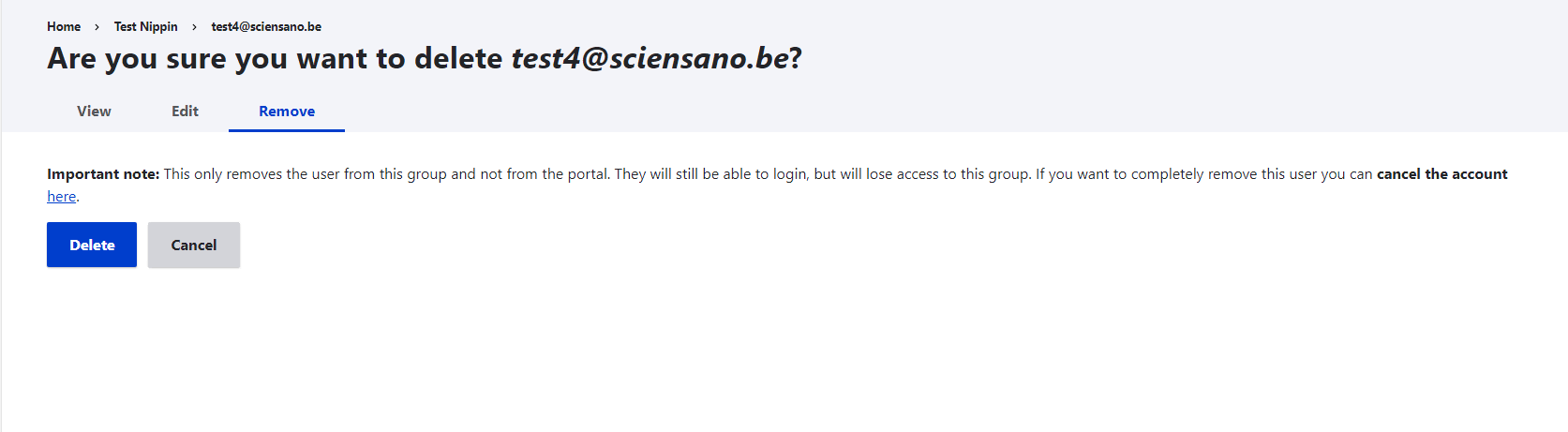
Confirm the question by clicking on Delete.