Aanvullende acties
Aanvullende actiesNu alle huisartsen en hun EAM-accounts met toegangsrechten (access grants) voor een project in healthstat.be zijn goedgekeurd, kan de Access Manager het beheer van EAM-gebruikers en EAM-accounts opvolgen via functionaliteiten die beschikbaar zijn wanneer nodig.
Om deze acties te starten, keert u terug naar de HD EAM homepage:
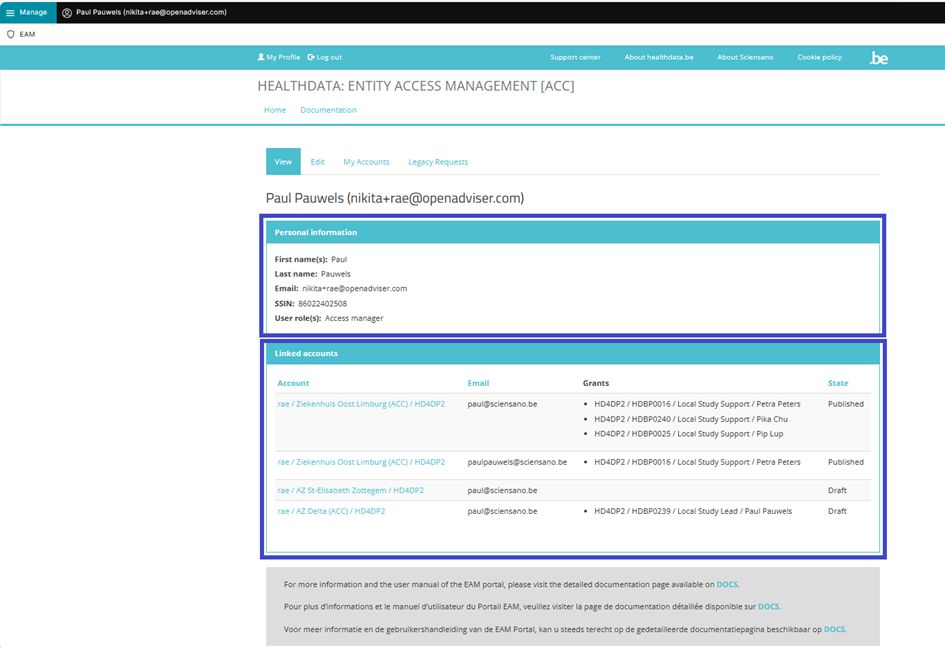
Op de volgende pagina's vindt u de meest voorkomende aanvullende acties (EN only):
Een EAM account uitschakelen
Een EAM account uitschakelenDisabling an EAM account
Click on Manage on the top left of the screen in order to reveal the EAM menu. Select EAM Accounts.

Scroll down the displayed list of accounts and tick the selection box of the account(s) you want to disable. Go to the bottom of the page and click on the Action toggle button to select Disable account. Then, click on the Apply to selected items button.

Confirm with the Execute action button

This action triggers an email notification for the Authenticated User to inform about the account being disabled. The user is no longer able to login with the credentials at hand, and needs to contact the Access Manager to have the account enabled again.
Een EAM account inschakelen
Een EAM account inschakelenEnabling an EAM account
Click on Manage on the top left of the screen in order to reveal the EAM menu. Select EAM Accounts.

Scroll down the displayed list of accounts and tick the selection box of the account(s) you want to enable. Go to the bottom of the page and click on the Action toggle button to select Enable Account.

To complete the action, you need to click on the Execute action button.
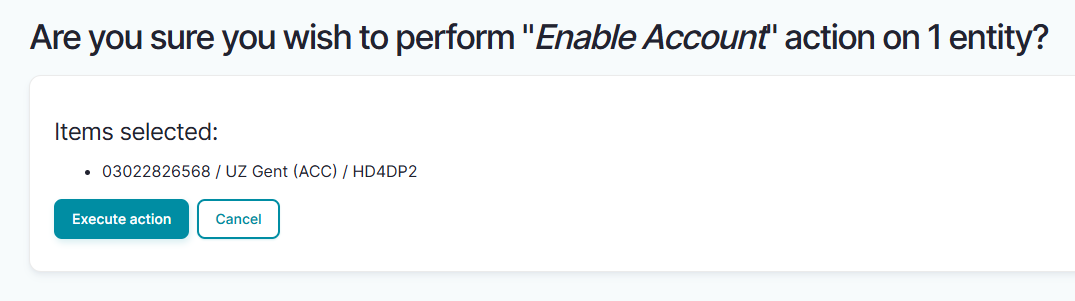
This action triggers an email being submitted to the Authenticated User with new credentials. All previously approved accesses will be restored.
Overzicht van alle huisartsen en hun EAM accounts met grants
Overzicht van alle huisartsen en hun EAM accounts met grantsViewing all users within the organization HDGP3333 for healthstat.be using the EAM interface?
Click on Manage to the top left of the screen, so that EAM appears. When hovering over this menu item, the subitems EAM Users and EAM Accounts become visible. Select EAM Accounts.

The page shown gives an overview of all accounts of all users within the organization(s) for the different applications, including the grants.
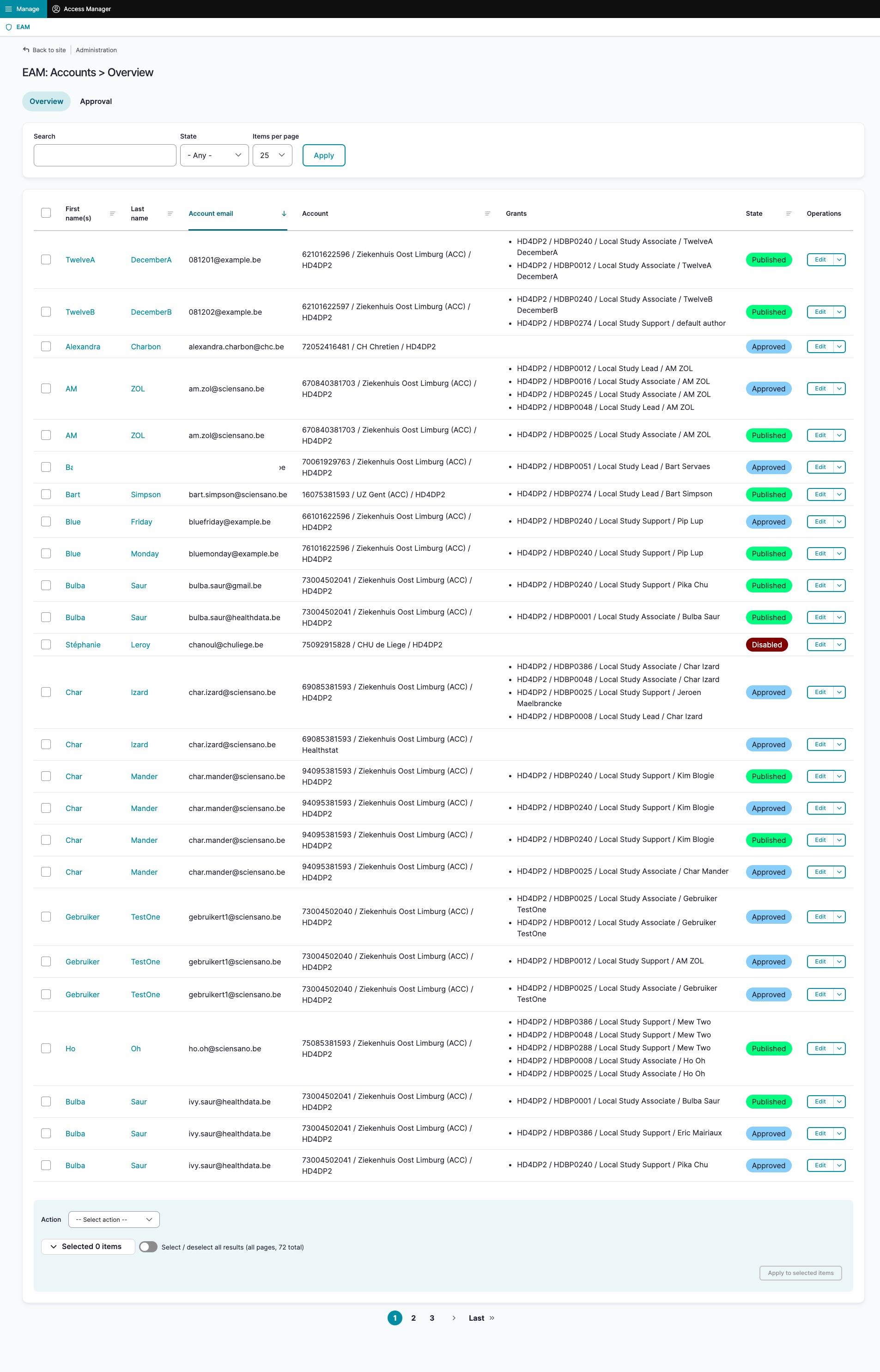
Filtering accounts for healthstat.be
Use "CTRL+F" and enter "Healthstat" in order to find the accounts for projects in the application healthstat.be.