healthstat.be
healthstat.beWelcome to the technical documentation pages of the healthstat.be application. Healthstat.be is a service of Sciensano the Belgian Scientific Institute of Health, and funded by the National Institute for Health and Disability Insurance.
In developing healthstat.be, many measures were taken to ensure the protection of the privacy of the patient, the caregiver and the medical confidentiality. For example, no personal information like name, date of birth or national registry number is available on healthstat.be. Because of all these measures, this approach received an authorization from the Sectoral Committee Health of the Privacy Commission.
These documentation pages provide information about the technical processes of healthstat.be. The following sections are (will be) provided:
General description of the application healthstat.be
General description of the application healthstat.beThe healthstat.be application of healthdata.be is a data reporting platform based on SAS Visual Analytics and integrated in the Drupal CMS (Content Management System). With the healthstat.be application , researchers of data driven projects facilitated by healthdata.be, can publish tables, figures and maps they made based on the data they have collected among Belgian hospitals, laboratories, physicians, and patients. With these reports, researchers want to give health professionals, healthcare institutions, patients, governments and the general public an up-to-date insight into the prevalence of certain diseases, their causes and impact, and the effectiveness of their treatment
Components and features
Components and featuresThe healthstat.be application contains the following major components: SAS Viya, Drupal CMS, Keycloack.
SAS Viya
SAS Viya is a cloud-enabled, in-memory analytics engine that provides quick, accurate and reliable analytical insights. In the healthstat.be application SAS Viya engine is enabled on premise (on the private cloud infrastructure of healthdata.be).
SAS Visual Analytics is a component of SAS VIYA used by healthstat.be to enable the exploration of patterns, trends and relationship between data points. It’s possible for users to explore data insights without complicated advanced analytical skills.
SAS Scripting Wrapper for Analytics Transfer (SWAT) package enables Python and r developers to connect to SAS Cloud Analytic Services (CAS) engine of the SAS Viya framework to publish Python and r data visualizations into the healthstat.be portal.
Drupal CMS
Drupal is a web content management system. Drupal includes core modules that can be enabled by the administrator to extend the functionality of the core healthstat.be application: .access statistics and logging, advanced search, custom content type and fields, and user interface to create, manage, and display lists of content, multi-level menu system, multi-user content creation and editing, RSS feed and feed aggregator, security and new release update notification, user profiles, various access control restrictions , and workflow tools.
Keycloak
Keycloak is an application to allow single sign-on with Identity and Access Management for web applications and services. It is used to mediate between the Federal Authentication Service (FAS) - enabling authentication with eID and Itsme - and the SAS VIYA framework – connecting to the authorized reports in healthstat.be.
Position of the application healthstat.be in the HD architecture
Position of the application healthstat.be in the HD architecture
Request access to projects in healthstat.be
Request access to projects in healthstat.beHealthdata.be applications such as HD4DP v2 and healthstat.be process sensitive personal information. Therefore, strictly controlled processes are used to grant access to these applications. The Entity Access Management (EAM) portal of healthdata.be facilitates these processes.
Make sure to use the current version of the EAM system. The relevant user documentation can be found here.
This documentation is being updated regularly. We try to provide as correct, complete and clear as possible information on these pages. Nevertheless, if you see anything in the documentation that is not correct, does not match your experience or requires further clarification, please create a support ticket via our portal Jira Service Management or send us an e-mail via support.hd@hda.fgov.be to report this documentation issue. Please do not forget to mention the URL of the page. We will then adjust the documentation as soon as possible. Thank you!User roles in healthstat.be
User roles in healthstat.beEach healthcare organization has at least one Access Manager who is managing the access rights to the applications of the own organization and is doing so in the HD Entity Access Management (EAM) system. In this process, access requests by healthcare organization employees are analyzed and validated if legitimized. The scope of the accesses granted to healtstat.be may differ, which is reflected in various combinations of user roles and data levels.
Two user roles can be distinguished: Data Provider, which is a user linked to an existing organization, and Sponsor, being the sponsor/coordinator of the data collection. Both are allowed to view reports based on data level. There are two data levels that determine the scope of visibility of the reports: Hospital, i.e. consulted reports contain all data registered by hospital staff, Individual, i.e. consulted reports contain only data that have been registered by that very user.
Data Provider / Hospital:
The Data Provider / Hospital profile can:
- consult reports of a specific data collection that contain data from the concerned hospital
Data Provider / Individual:
The Data Provider / Individual profile can:
- consult reports of a specific data collection that only contain data that have been personally registered
Sponsor / Sponsor:
The Sponsor / Sponsor profile can:
- consult all reports that contain data collected at hospital level
Sponsor / Individual:
The Sponsor / Individual profile can:
- consult all reports that only contain data that have been personally registered
Remarks:
- It is up to the Access manager to change roles from or to Data Provider / Hospital, Data Provider / Individual, Sponsor / Sponsor and Sponsor / Individual. These actions are to be performed in the EAM system.
Log in to healthstat.be with eID or itsme
Log in to healthstat.be with eID or itsmeGeneral login condition
The below described procedure to log in with eID or Itsme is reserved for Belgian nationals and foreigners with a residence title for Belgium. Latter users need to ensure that they have a NISS number available, because it is essential to set-up the Itsme application succesfully.
Login procedure
To access the healthstat.be portal, you need to navigate to https://www.healthstat.be. The landing page of the application is displayed.
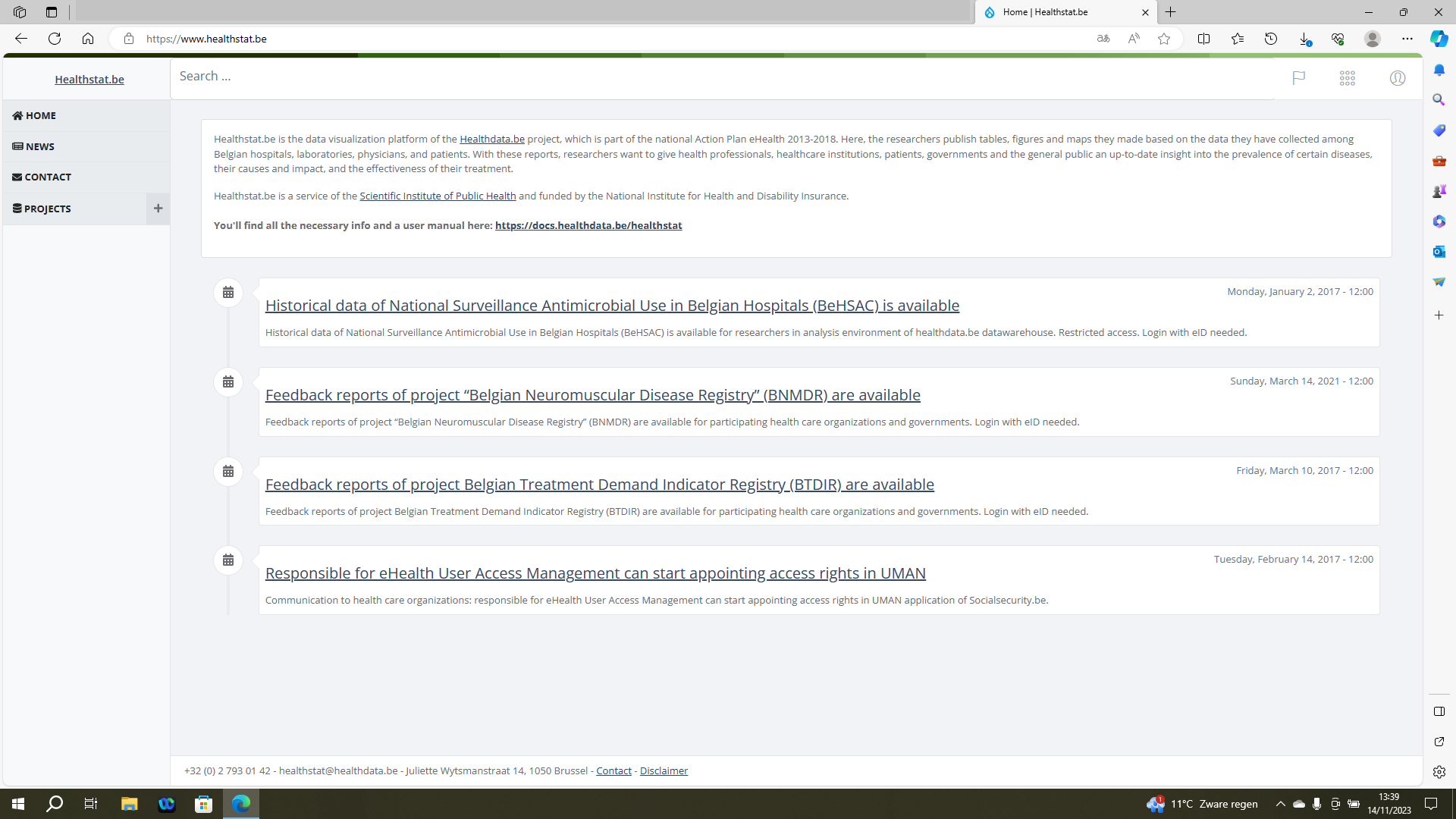
Click on the user symbol at the top right of the screen, next to the flag symbol (Language selection) and the dots symbol (Support functions). Then click on Log in the pop-up text field.
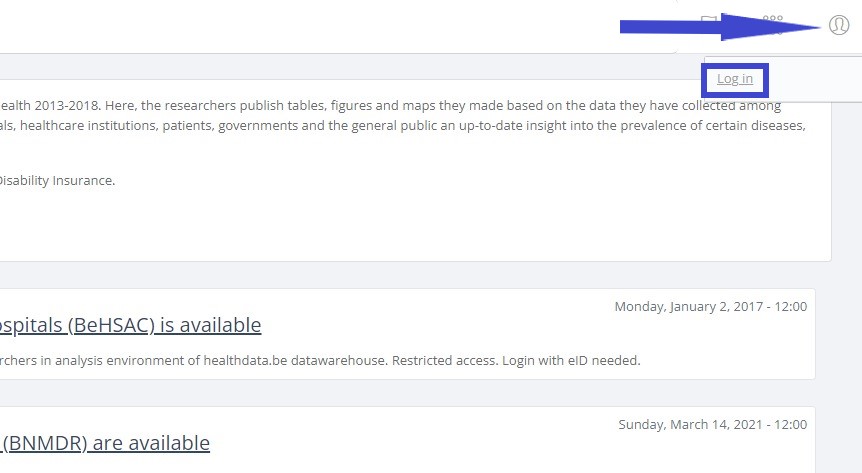
The Sign in to your account screen appears.
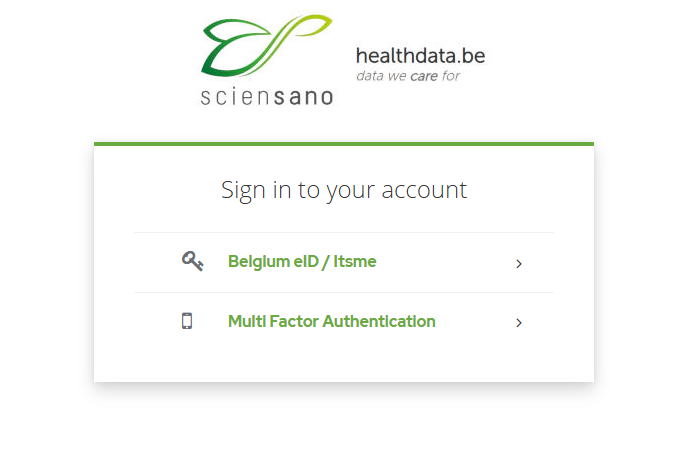
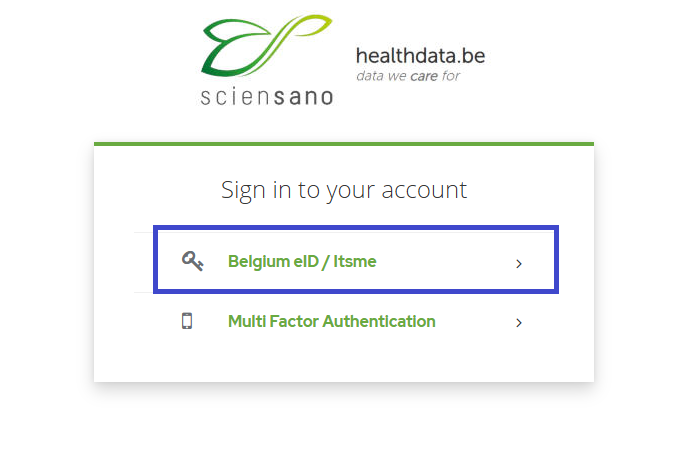
Select the Belgium eID / Itsme option to continue the login procedure for healthstat.be.
You will be redirected to the government's Federal Authentication Service (FAS), where you can log in with multiple digital keys with eID or digital identity.

If you choose to connect via itsme, you will need to enter your cell phone number.
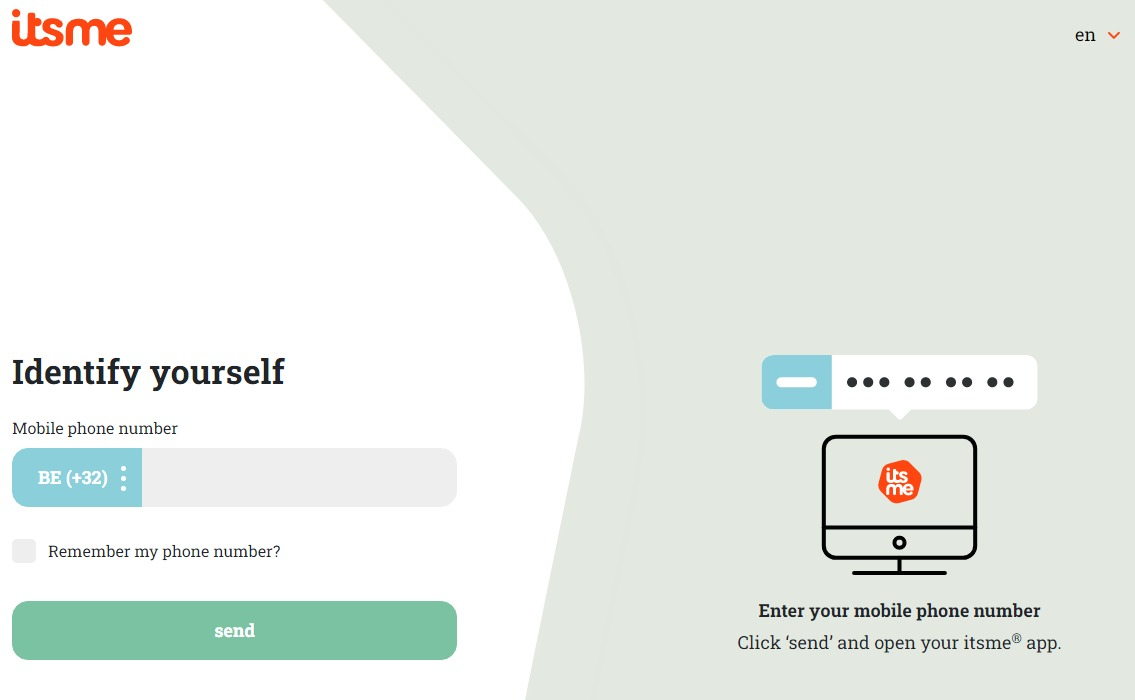
Follow the instructions on your mobile device via the itsme application.

Once you have completed the login procedure you will be redirected to the landing page of healthstat.be.
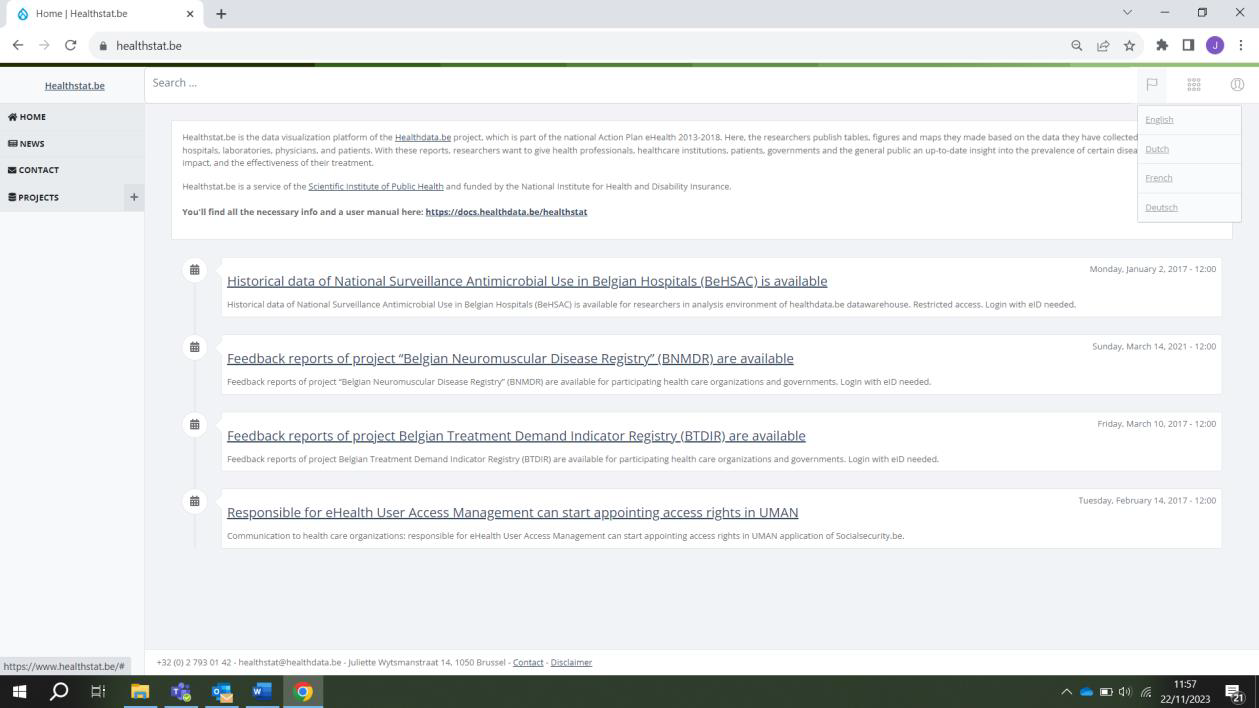
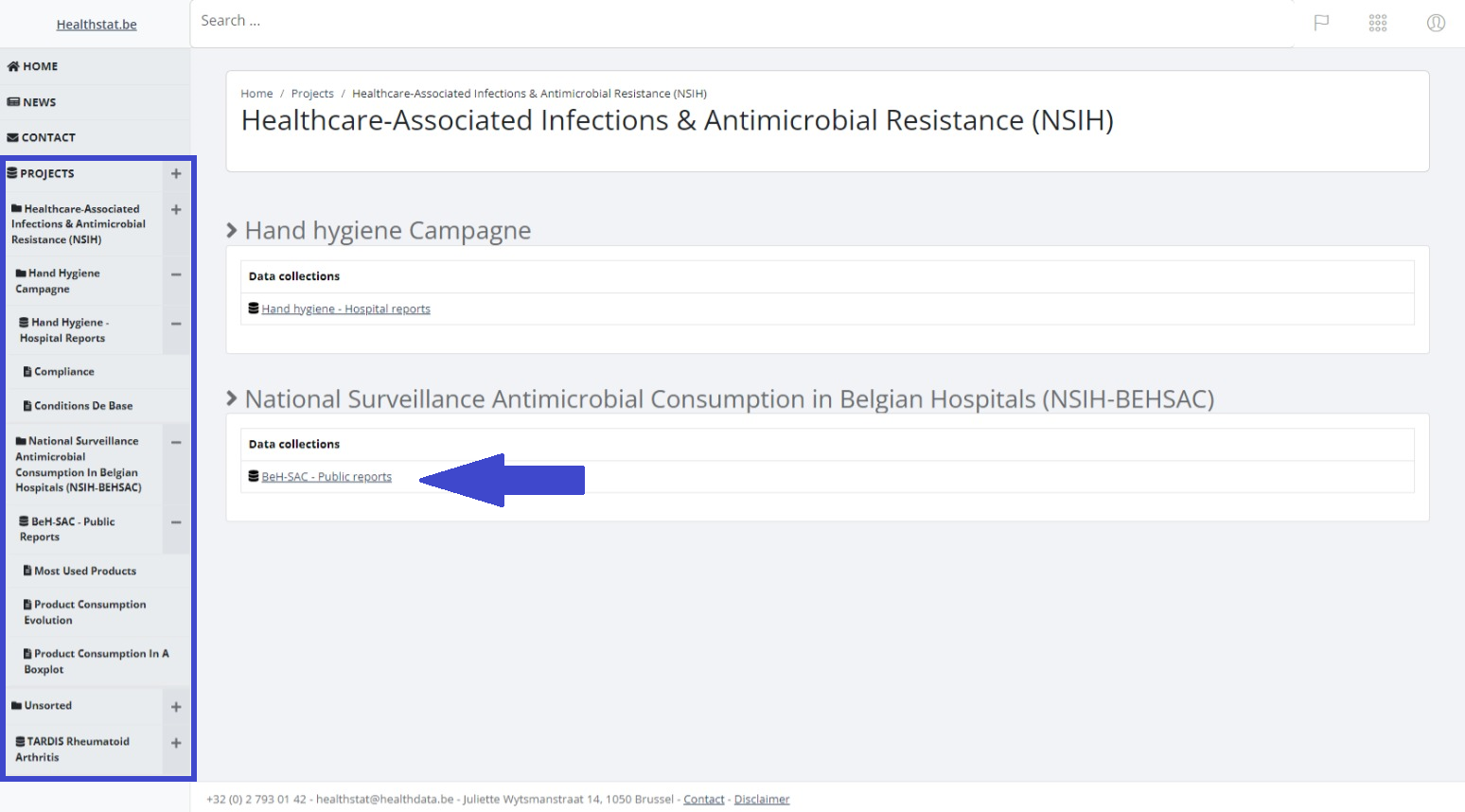
Select PROJECTS in the left navigation menu in order to display the data collections which you have access to. Select the data collection of your choice (blue arrow).
The relevant data collection is displayed. Select a report under Report title.
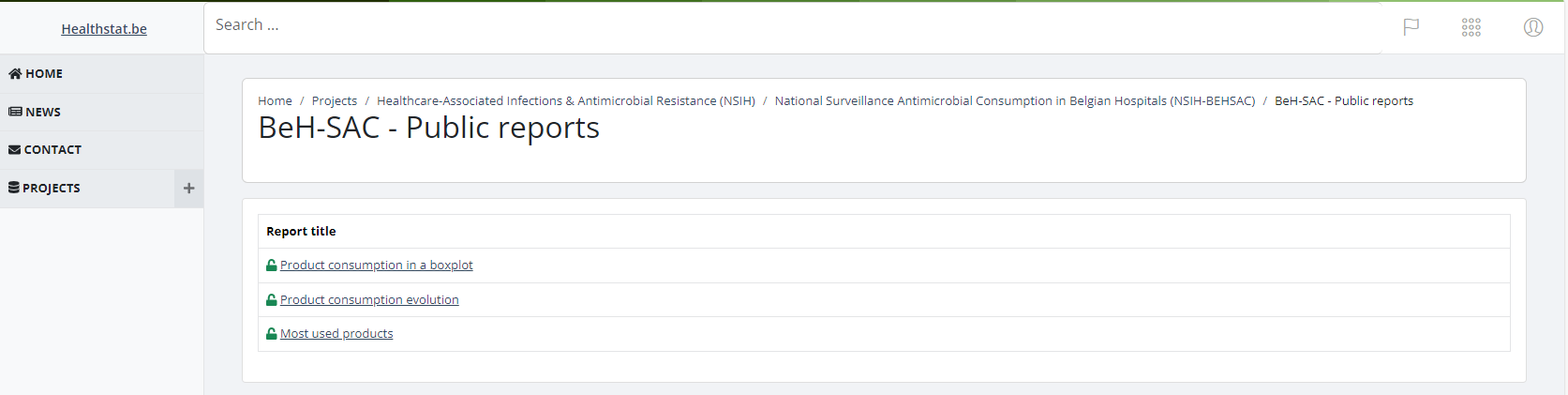
In order to consult the report and to select report criteria, you need to repeat the authentication procedure.
Consulting reports
Consulting reportsOn the left side of the screen you will notice different reports. All different reports (or folders containing reports) are available to be consulted.

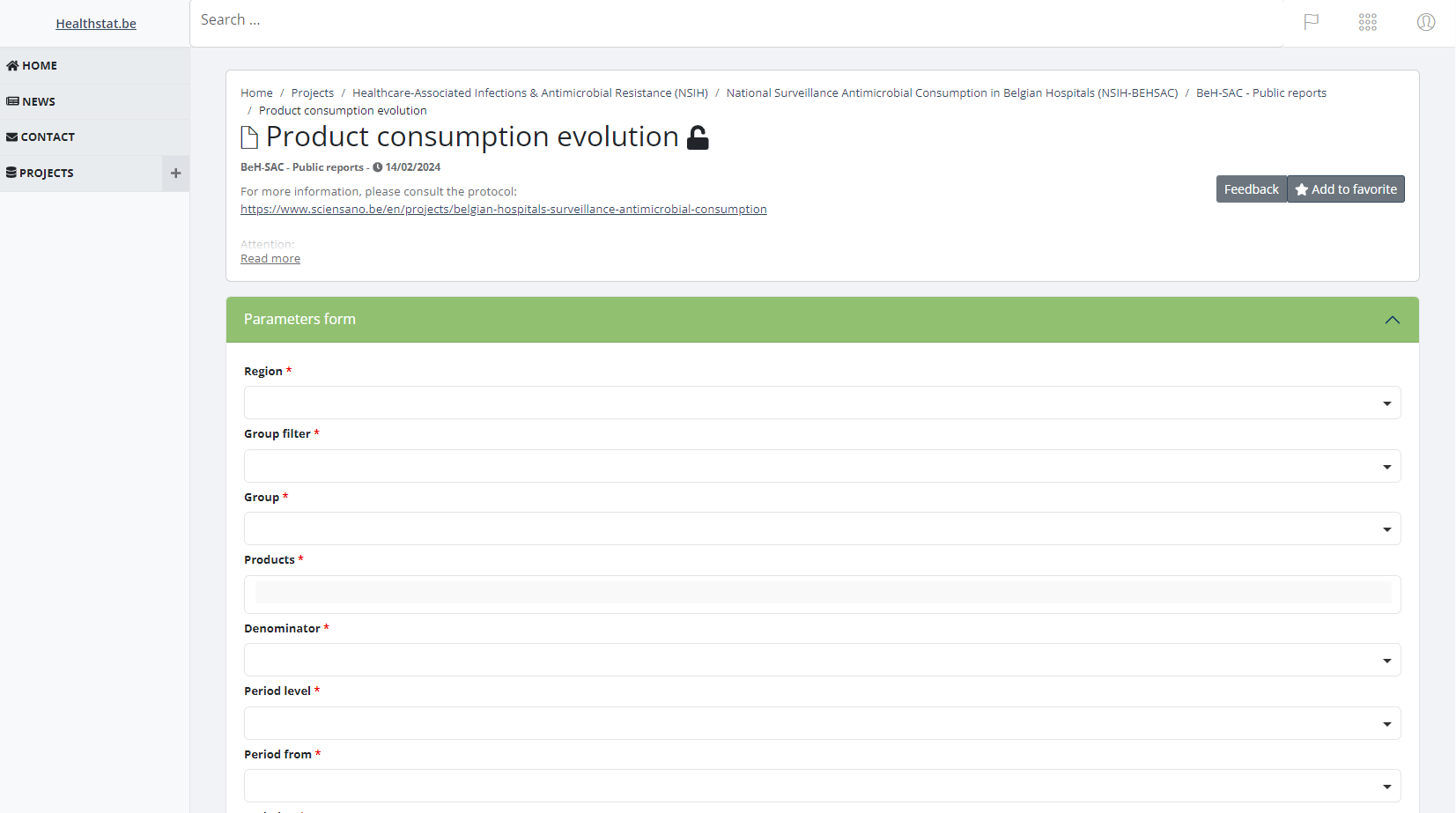
The small lock icon indicates that this is a private reports to which only a limited number of people have access to these. After selecting one of the reports, it could be possible that you are presented with a parameters page. This page will allow the report to be generated with the parameters you request.

Please select a value for all the required parameters.
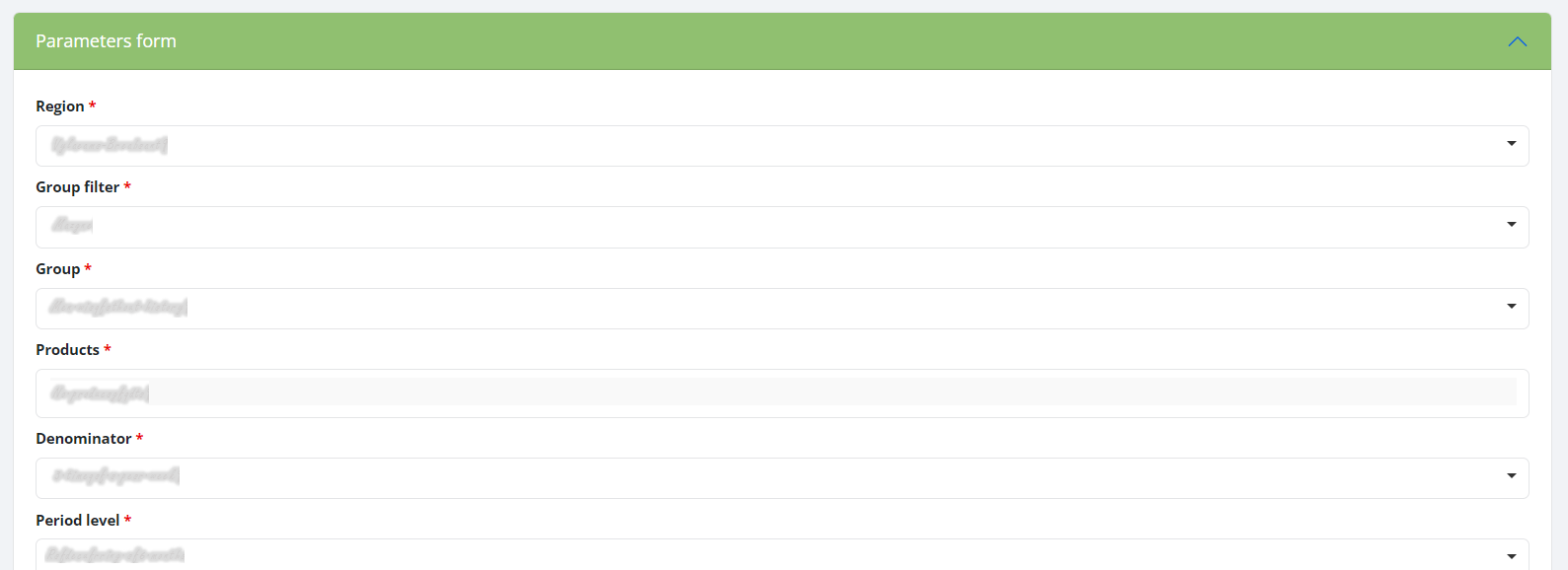
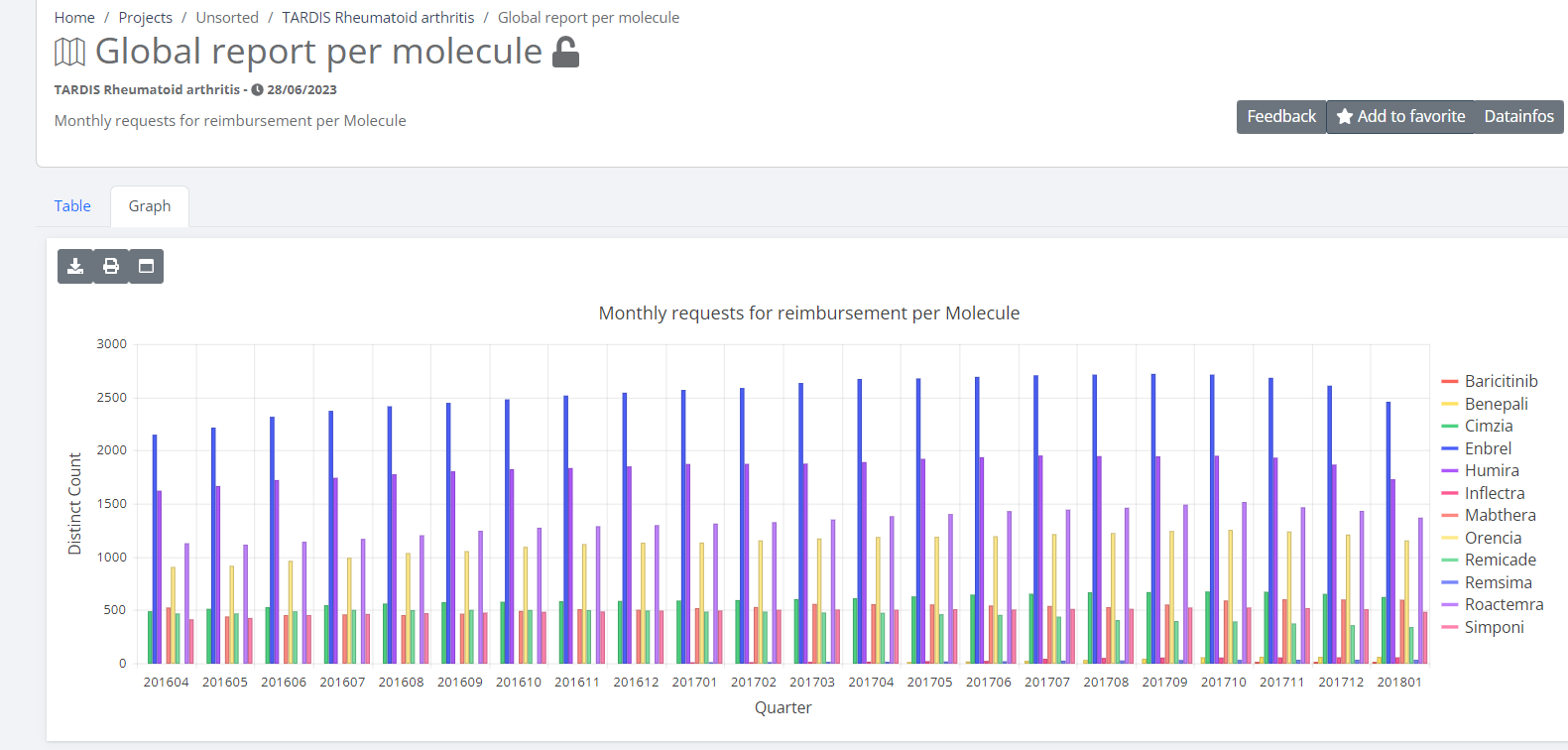
If all the parameters are correctly entered a report will be generated and it's directed to a page containing the output. Depending on the type of report, it could be a graph or a table.
Support service for healthstat.be
Support service for healthstat.beThe Service Desk of healthdata.be (Sciensano) helps users of our applications and services and deals with requests and incidents.
The Service Desk focuses on those services run by our IT Services (HD4DP, HD4RES, healthstat.be,...) and helps you with accounts and passwords. For questions about the content and objective(s) of the projects, we kindly refer users to the managing research organizations.
For most efficient processing of your request, we advise you to use our support portal: Jira Service management (JSM).
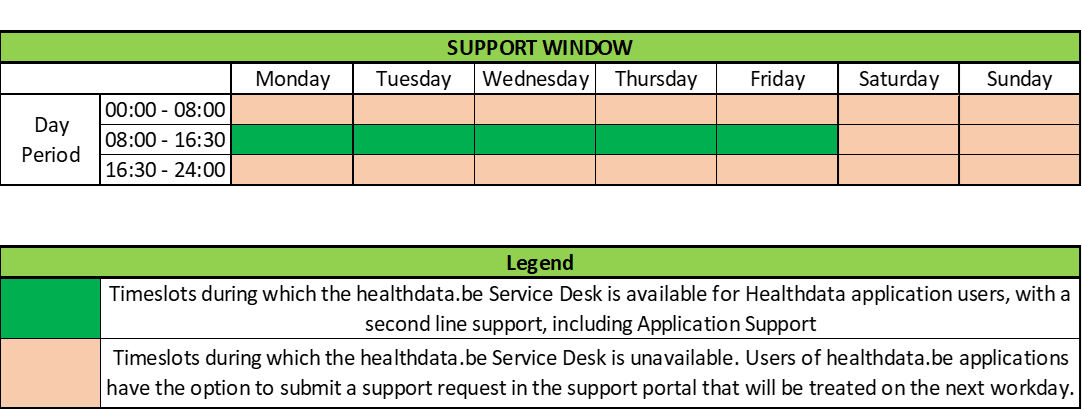
Please find below our support window hours:
How to report an incident
How to report an incidentThe healthdata.be service (Sciensano) processes each incident report according to a Standard Operating Procedure (SOP). A public version of this SOP "HD Incident Management Process" is also available on this portal docs.healthdata.be.
To submit an incident related to registries and applications in production and facilitated or managed by Sciensano's healthdata.be service, you must first log into the HD Service and Support portal: Jira Service Management (JSM).
More info concerning how to request an account is available here.
After the login step, you will arrive at the main page of the portal
To create a ticket click on "Create a Support ticket"' on the main page.

You will see the page below. Once you have filled in all the mandatory fields, click on "Send".
